
Avatar training in Image Generation creates a personal LoRA — an AI model fine-tuned on photos of one person. Once trained, you can use it in any generation to place that person into scenes, styles, or characters you describe in the prompt.
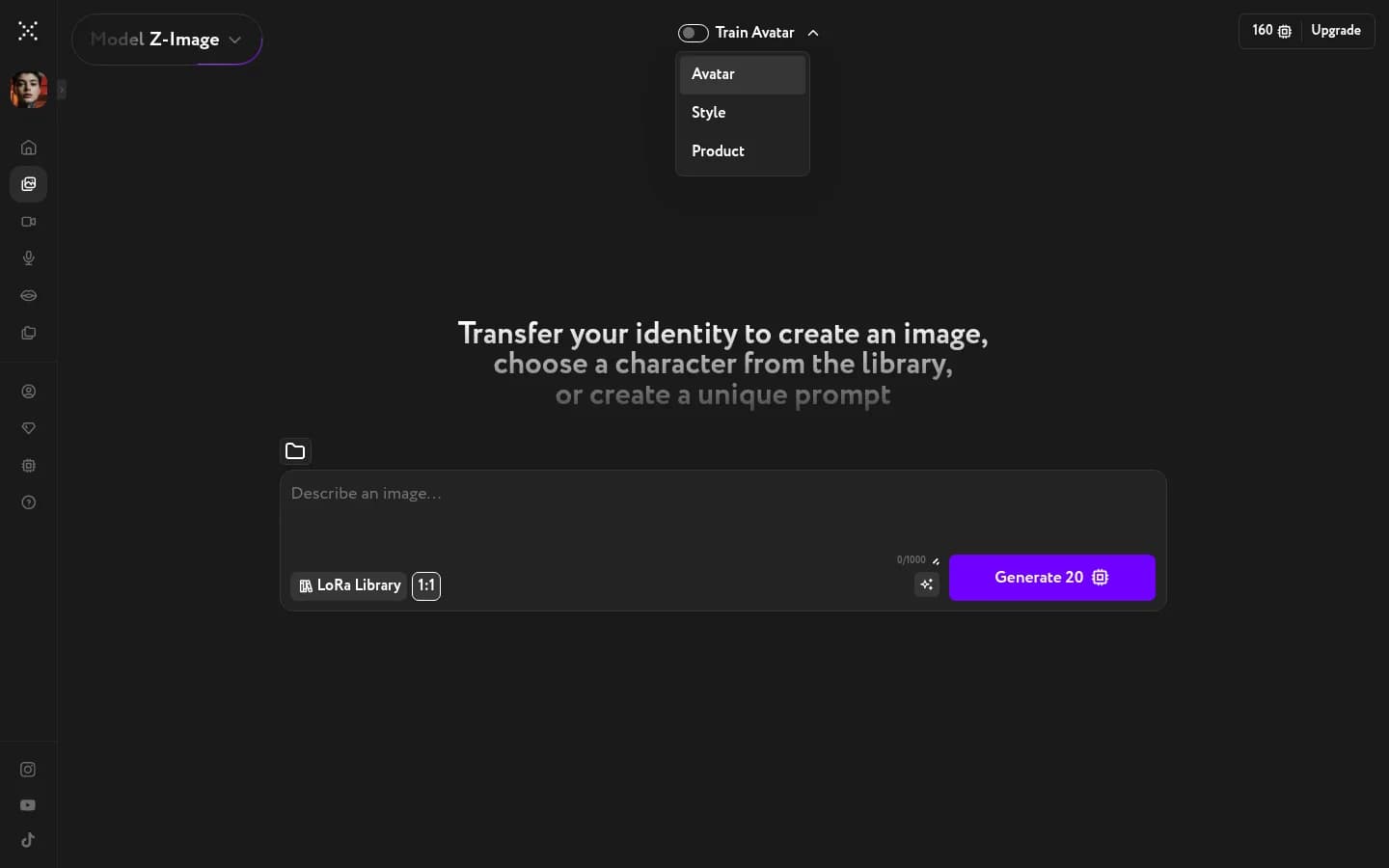
Enable Train Avatar mode
Click the Train Avatar toggle at the top of Image Generation. A dropdown opens with three training types: Avatar, Style, and Product. Select Avatar.
Upload your photos
Upload 15–30 photos of the same person.
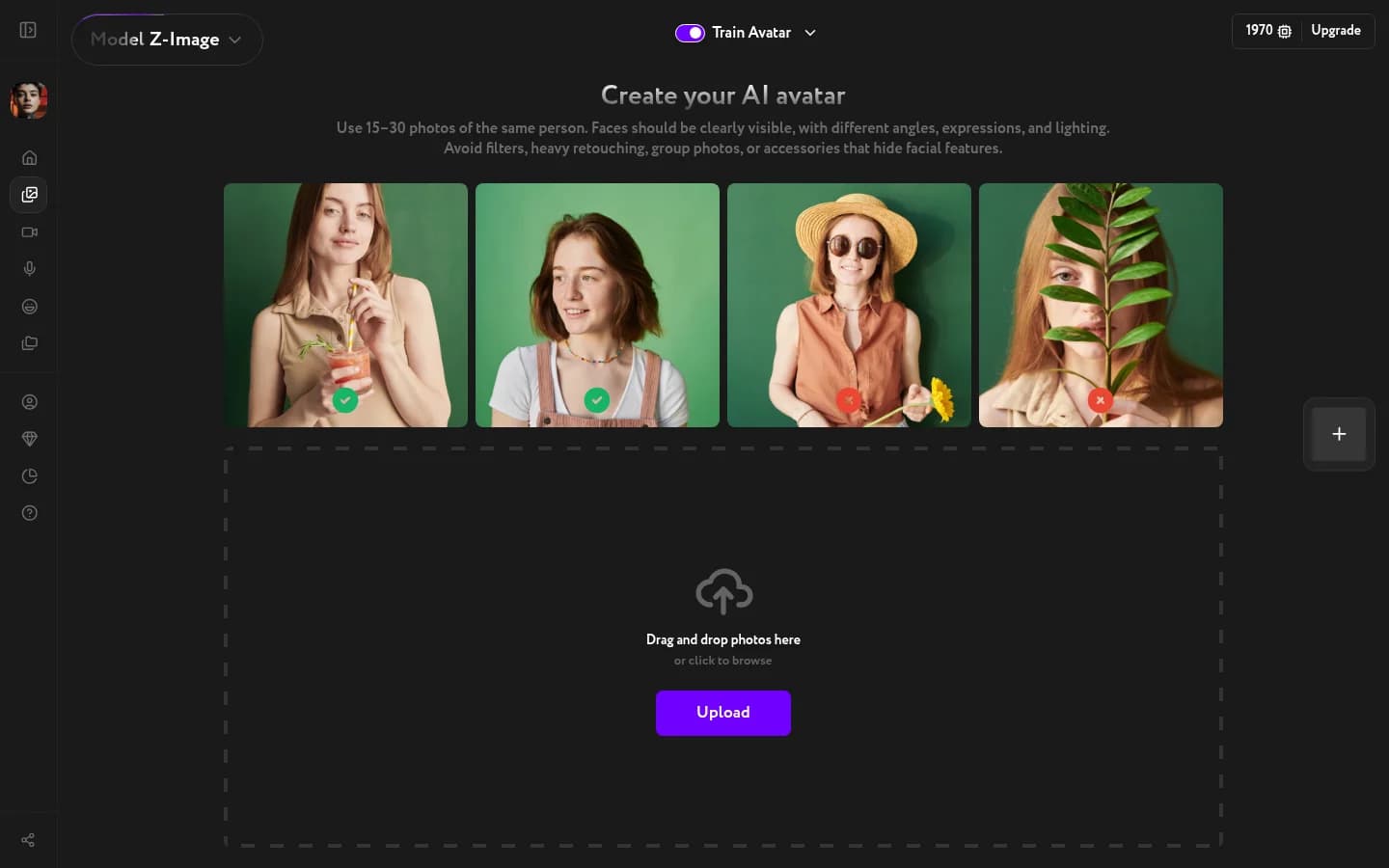
What works:
- Different angles — front, three-quarter, profile
- Different expressions and lighting conditions
- Plain or simple backgrounds
What to avoid:
- Filters or heavy retouching
- Group photos with other people
- Hats, glasses, or anything that covers the face
Drag photos into the upload area or click Upload to select them from your device. Photos with faces clearly visible get a green checkmark; unusable ones are marked with red.
Start training
Once your photos are uploaded, confirm and start training. Training takes 20–50 minutes and runs in the background. When it's done, you'll receive an email notification and your avatar LoRA will be ready to use.