
Product training in Image Generation creates a LoRA fine-tuned on photos of a specific object. Once trained, use it from the LoRA Library to place that product into any AI-generated scene — the appearance stays consistent across different backgrounds, lighting, and contexts.
Enable Product training
The Train Avatar toggle appears only when a Trainable model is selected — switch to Z-Image first if you don't see it.
Click the Train Avatar toggle at the top of Image Generation. Select Product from the dropdown.
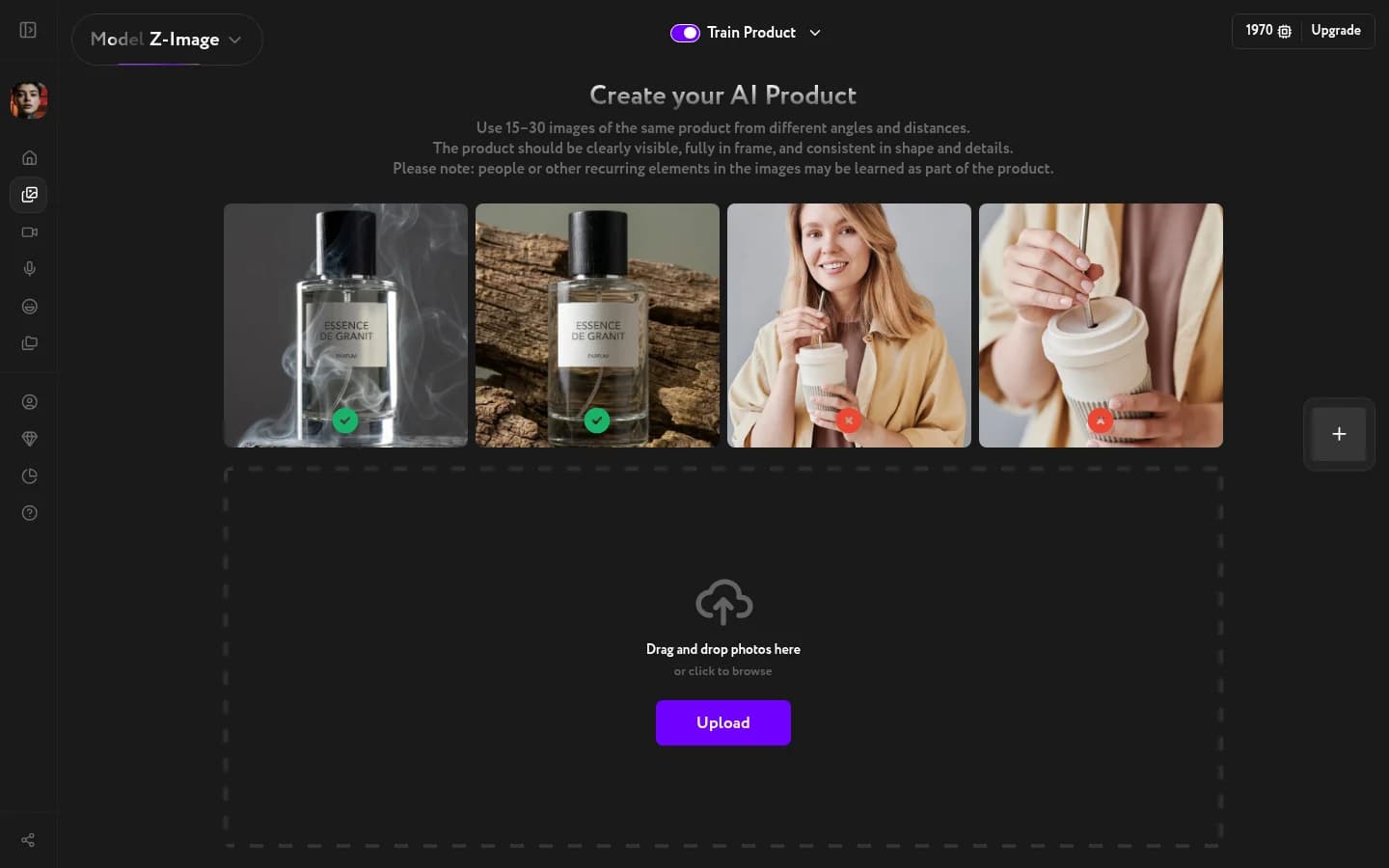
Upload your product photos
Upload 15–30 photos of the same product. Consistency matters — the model needs to learn what the object looks like across varied conditions.
What works:
- Multiple angles: front, back, side, three-quarter
- Different lighting conditions — studio, natural, ambient
- Clean backgrounds or simple environments that don't distract from the product
What to avoid:
- Photos where the product is partially obscured
- Heavily edited or composited images
- Mixed products in the same training set
Start training
Once your photos are uploaded, confirm and start training. Training takes 20–50 minutes and runs in the background. When it's done, you'll receive an email notification and your product LoRA will be ready to use.
After training, describe the scene around the product in your prompt — the LoRA handles the object itself. "On a marble table with soft morning light" works better than redescribing the product.
Product training requires an active subscription.
Once training is complete, find your product LoRA in the LoRA Library and apply it to any generation.