
Espresso Rabbit Volcano
Editor's note
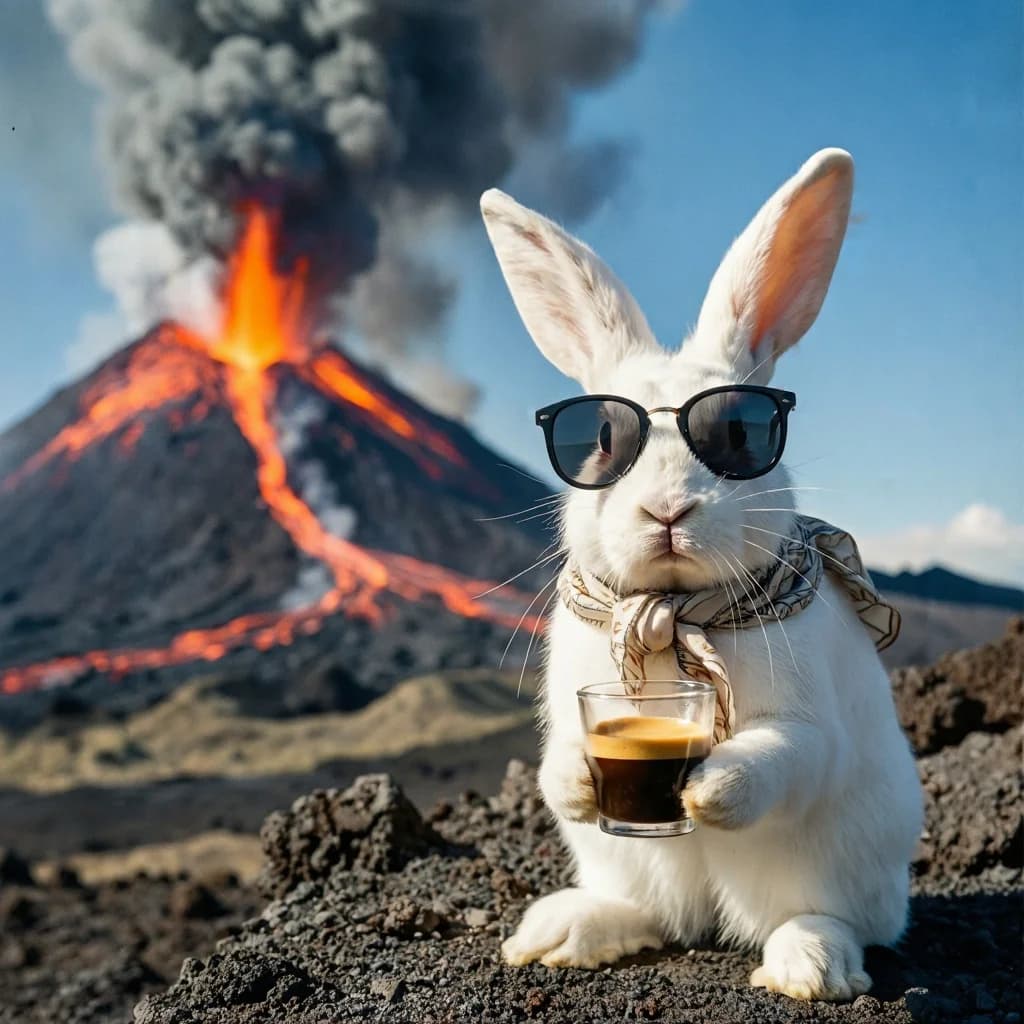
A calm foreground animal and a catastrophe behind it, both in sharp daylight. The mismatch in stakes is the composition.
Whimsical surreal cinematic photo. A white rabbit sits in the foreground on dark volcanic rocks. The rabbit is styled like a fashionable tourist: wearing black sunglasses and a light patterned headscarf tied under the chin. The rabbit holds a small glass cup of espresso/coffee with a light crema on top, as if calmly sipping. Expression neutral and unbothered, comedic contrast. In the background, a large volcano is erupting: bright orange lava flows run down the cone, and a thick dark gray/black smoke plume rises from the crater into a clear blue sky. The landscape is rugged, rocky, ash-colored ground. Composition is close/medium shot: rabbit prominent on the right/center, volcano framed behind it. Lighting: bright daylight, crisp shadows; rabbit fur detailed and clean white; lava is vivid and glowing. Composition & optics: shallow-to-medium depth of field — rabbit sharp, volcano slightly softer but clearly recognizable; cinematic travel-photo framing. Color grading Overall tone: clean daylight “travel documentary” look with a playful twist. Contrast: medium-to-high, but keep fur detail (avoid clipping whites on rabbit). Saturation: moderate overall; emphasize lava orange/red and keep sky blue clean. Highlights: protect highlights on white fur and coffee cup glass; lava highlights can glow slightly with subtle bloom. Shadows: neutral-to-slightly cool shadows in rocks; maintain texture in volcanic ground. Smoke: deep charcoal/graphite with soft gradients; no crushed blacks, preserve plume detail. Finishing: light film grain optional; very subtle vignette to draw attention to rabbit; slight warmth in midtones for a sunny vacation vibe. Palette keywords: clean sky blue, volcanic charcoal, lava orange glow, crisp whites, travel cinematic, ironic calm mood.
How to Use This Prompt
- 1Copy the prompt above — the full text, not a trimmed version.
- 2Open Workroom and pick Nano Banana 2 as the model, then paste the prompt in.
- 3Hit Generate, then change one detail and run it again — the fastest way to make it yours.
Every prompt in the library works the same way — copy, paste into the model, generate.
Explore More Image Prompts More from Nano Banana 2
All Image Models





Every prompt here was actually run.
Workroom is one account for every image and video model — pick any prompt above, or start from scratch.