
Frozen Figure Streaking Lights
Editor's note
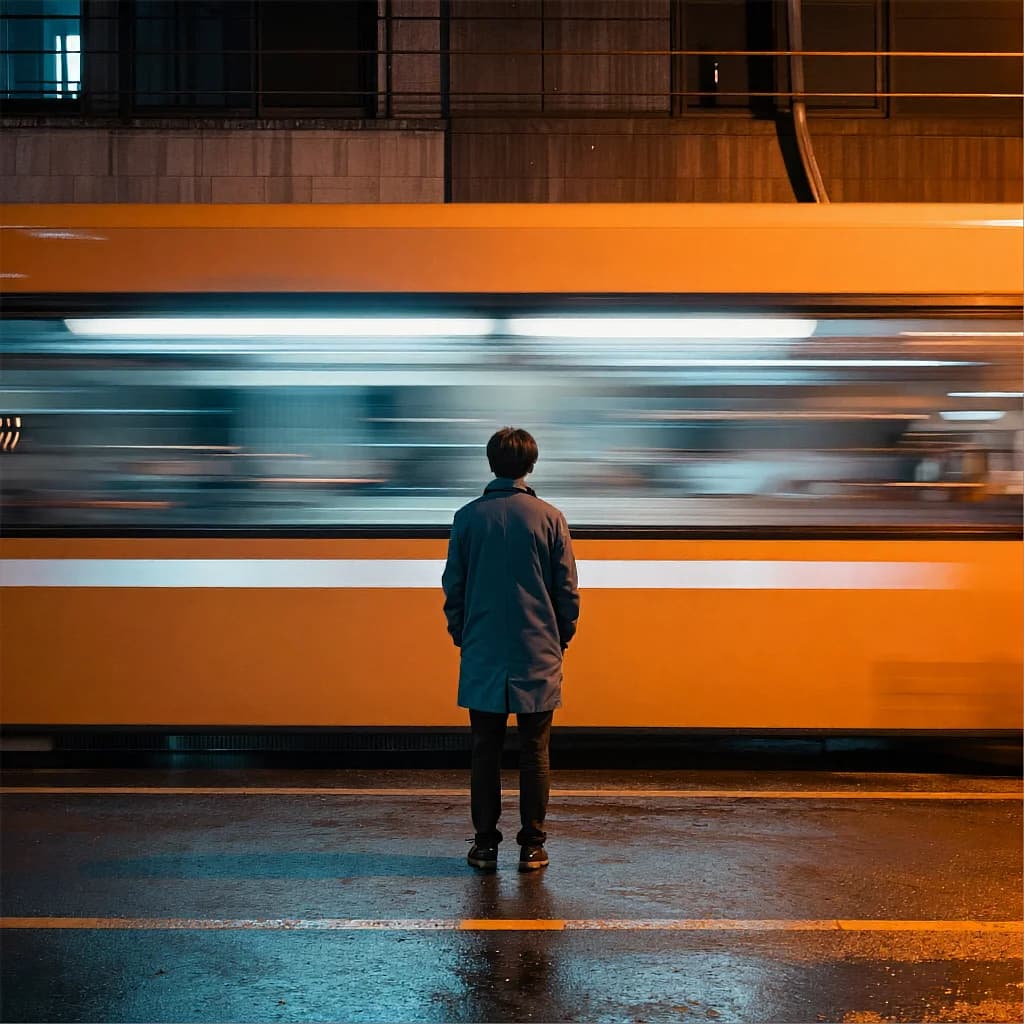
A still figure waits as the whole street smears into orange-teal light streaks around him. Motion everywhere except the one thing that matters.
Night city street, square frame. Centre-left: a person in a teal #1c6e78 coat seen from behind, standing perfectly still, tack sharp, backlit by warm #ff8c3c signage. Everything around them is smeared into long horizontal light bands — shopfronts and street lamps pulled sideways edge to edge, as if the camera swept a fast pan around the motionless figure. Wet asphalt mirrors the same orange and teal as vertical streaks. Base #10131a fills under a third of the frame; the bright bands dominate, saturated and energetic. Lighting: coloured back- and side-light from the signage, high saturation, hot white cores inside the fastest streaks. Camera: eye level, 35mm, f/4 — figure sharp, surroundings in motion blur.
How to Use This Prompt
- 1Copy the prompt above — the full text, not a trimmed version.
- 2Open Workroom and pick Z-Image as the model, then paste the prompt in.
- 3Hit Generate, then change one detail and run it again — the fastest way to make it yours.
Every prompt in the library works the same way — copy, paste into the model, generate.
Explore More Image Prompts More from Z-Image
All Image Models


Every prompt here was actually run.
Workroom is one account for every image and video model — pick any prompt above, or start from scratch.