
A Spider Crosses Glitter Skin
Editor's note
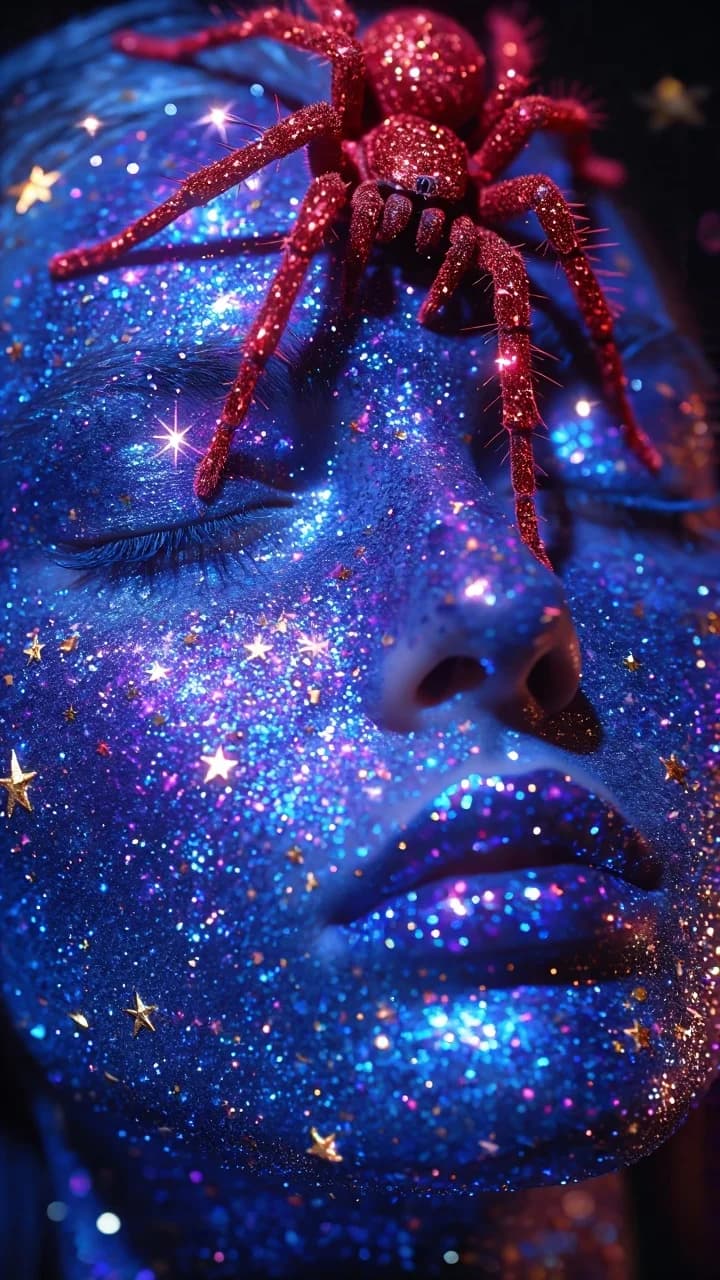
One leg at a time, forehead to nose bridge, while the face stays perfectly still. The path of the crawl is the whole storyboard.
Extreme close-up cinematic beauty shot in a dark studio. A woman’s face fills the frame, eyes closed, calm expression, glossy lips. Her skin is covered with shimmering blue glitter and tiny reflective star confetti, creating a cosmic sparkling texture. A red glitter spider crawls slowly across her forehead and down toward the bridge of her nose, moving one leg at a time, realistic delicate steps. The woman remains still (only subtle breathing). Camera is static on a tripod (no movement, no zoom). Lighting is low-key with neon blue/purple highlights; glitter twinkles and sparkles with small star-like flares, soft bloom/halation, shallow depth of field, high detail macro texture, 4K, 24fps, smooth motion, no cuts.
How to Use This Prompt
Veo 3.1 is no longer available in Workroom. The result above was made with it, so yours will look different on another model.
- 1Copy the prompt above — the full text, not a trimmed version.
- 2Open Workroom, pick any video model and paste the prompt in.
- 3Add a reference photo if the prompt calls for one, then hit Generate.
Every prompt in the library works the same way — copy, paste into the model, generate.
Explore More Video Prompts More from Veo 3.1
All Video Models






Every prompt here was actually run.
Workroom is one account for every image and video model — pick any prompt above, or start from scratch.