
Blue Amber Cat Dusk
Editor's note
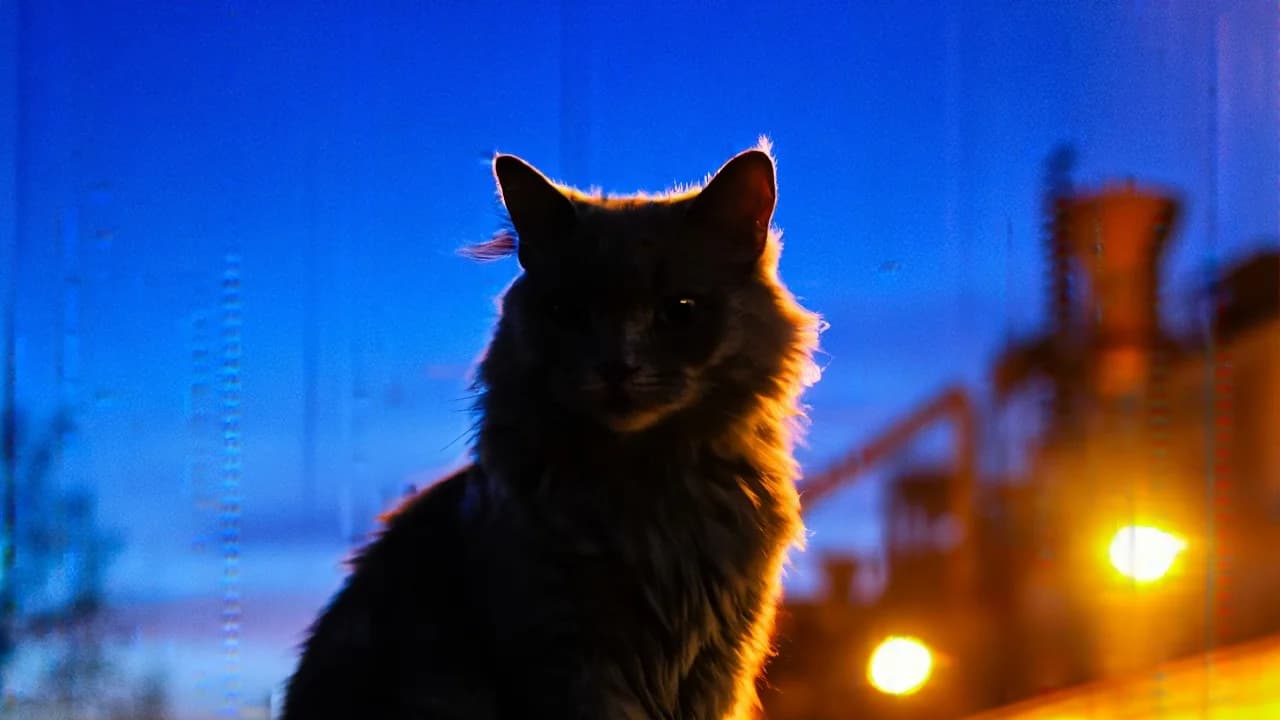
Cool blue shadows, a warm amber rim and a long lens. The cat is lit like a character in a scene rather than photographed like a pet.
A gray fluffy cat is sitting outside. Color Scheme: Blue Amber Contrast Camera: ARRI ALEXA Mini Lens: Zeiss Super Speed (Telephoto) Format: Digital, 1.78:1 Spherical Color: Mixed — Cool Blue shadows / Warm Amber highlights Grain Level: Low, clean digital image; smooth highlight roll-off with subtle atmospheric diffusion in bokeh. Lighting & Color Architecture The frame is built on a classic complementary contrast: cool pre-dawn blue versus warm industrial amber. This expressive Blue Amber Contrast scheme is often used in sports advertising to convey energy and emotional intensity. Lighting Setup Primary source: natural twilight/daybreak ambient light (cool sky-blue soft source). Rim light: low sun behind the horizon shaping the silhouette. Background practical lights: city/industrial sodium lamps creating warm amber bokeh. No fill light: negative fill sculpts a strong graphic silhouette. Contrast is high: the subject reads as a dense silhouette, while the background remains saturated and luminous. Exposure separation is driven by color temperature contrast (≈3200K vs 8000K). Character Rendering The figure is almost entirely in shadow, reading as a dynamic silhouette. Head and hair contours are emphasized by a soft amber rim light. Hair may show slight motion blur, enhancing the sense of movement. Facial exposure is minimal — skin tones are not detailed. Shadows are deep, close to clip-black (#141218). Contrast is maximal, background saturation is high. Background The background is divided into two chromatic layers: Sky: A cool gradient from deep blue (#1E3A4A) to lighter blue (#2C5568). Industrial lights: Bright amber and orange bokeh (#B3773D, #D8B67A, #E3C79A). Bokeh is large and soft with smooth fall-off — characteristic of Zeiss Super Speed lenses wide open. Light distribution is right-heavy, balancing cool negative space on the left with warm density on the right. Color Palette HEX #141218 #0F1C1E #2B1A17 #1E3A4A #2C5568 #6A5535 #7C331C #536E79 #8A6A4E #6E756F #A37459 #B3773D #C0874A #D8B67A #E3C79A
How to Use This Prompt
- 1Copy the prompt above — the full text, not a trimmed version.
- 2Open Workroom and pick Nano Banana 2 as the model, then paste the prompt in.
- 3Hit Generate, then change one detail and run it again — the fastest way to make it yours.
Every prompt in the library works the same way — copy, paste into the model, generate.
Explore More Image Prompts More from Nano Banana 2
All Image Models





Every prompt here was actually run.
Workroom is one account for every image and video model — pick any prompt above, or start from scratch.