
Disco Mirror Banana Peel
Editor's note
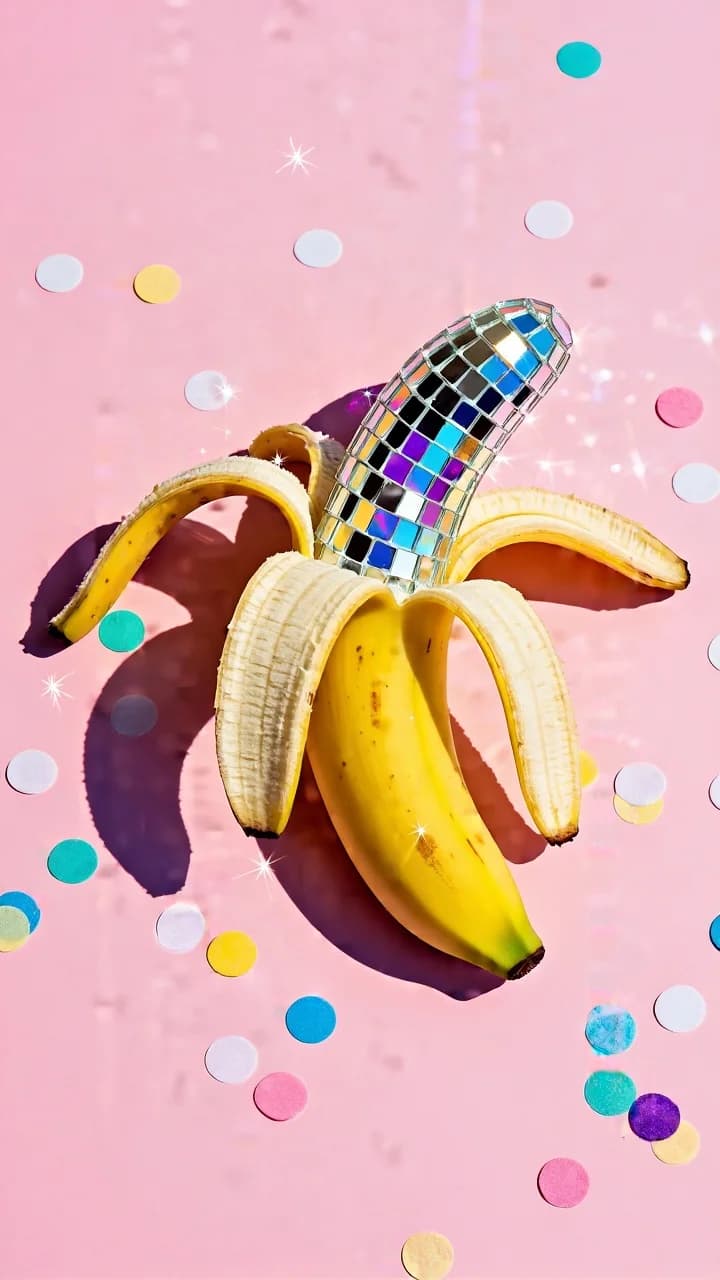
Pop-art still life where only the peel is re-skinned in mirror mosaic. A flat pastel ground keeps the tiles reading as texture.
Playful pop-art still life on a solid pastel background. A peeled yellow banana sits centered on a flat pastel pink surface. The banana peel is opened into three/four curved flaps, but instead of normal peel texture, the inside/outside of the peel is covered with mirror disco tiles (tiny square mirrored mosaic like a disco ball). The mirrored peel reflects colorful highlights (blue, purple, cyan, gold) and creates sparkly glints. Around the banana, scattered round confetti dots in pastel colors (white, yellow, turquoise, blue, pink) are sprinkled on the pink background, adding a party vibe. Lighting is bright studio with crisp shadows; the banana casts a clean shadow to one side, emphasizing a graphic, minimal composition. Lighting: strong directional studio light (like midday sun in studio), sharp defined shadow, high clarity; mirror tiles create specular sparkles. Composition & optics: top-down or slightly angled overhead shot, centered subject, lots of negative space, clean product-photo style, high detail on mosaic tiles. Color grading Overall palette: bright, cheerful pastel pink background + saturated banana yellow, with rainbow reflections in the disco tiles. Contrast: medium-to-high contrast to keep the shadow crisp and the banana shape graphic. Saturation: fairly high but clean; pink stays pastel (not magenta), yellow stays rich (avoid neon clipping). Highlights: strong specular highlights on mirror tiles; allow colorful glints (cyan/blue/purple) and tiny star-like reflections. Shadows: clean, slightly cool shadow for a modern product look; avoid muddy gray. Clarity/texture: high micro-contrast on mosaic tiles so each square reads; banana surface smooth and matte. Finishing: minimal grain, no vignette, crisp “ad/product” finish. Palette keywords: pastel pink, banana yellow, disco mirror mosaic, colorful sparkles, party confetti, clean studio pop-art.
How to Use This Prompt
- 1Copy the prompt above — the full text, not a trimmed version.
- 2Open Workroom and pick Nano Banana 2 as the model, then paste the prompt in.
- 3Hit Generate, then change one detail and run it again — the fastest way to make it yours.
Every prompt in the library works the same way — copy, paste into the model, generate.
Explore More Image Prompts More from Nano Banana 2
All Image Models





Every prompt here was actually run.
Workroom is one account for every image and video model — pick any prompt above, or start from scratch.