
 More from Nano Banana 2
Warm Neon Noir Bedroom
100
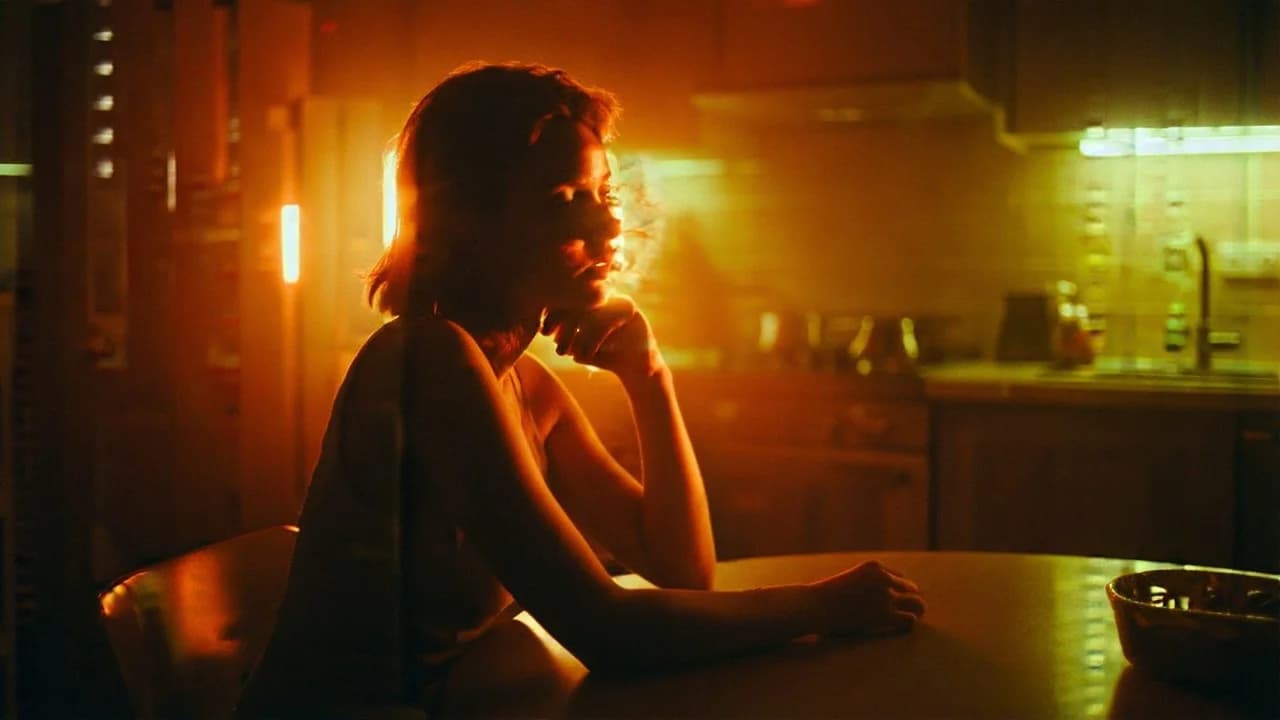
Warm practical light with a cool spill, haze and bloom. The profile stays in shadow so the room reads before the face does.
A cinematic 35mm still of a fair-skinned woman sitting alone at a kitchen table at night. She is positioned slightly off-center, seated in profile, her posture relaxed but introspective. The frame is composed in 2.35:1 aspect ratio, shot as if on Arricam LT with Zeiss Master Primes (wide lens). Style & Color Grade: Warm Neon Noir. The scene is dominated by a warm amber-orange palette with saturated neon yellow accents. Deep, sculpted shadows surround her, creating strong chiaroscuro contrast. Lighting setup: Motivated warm neon practical lights glowing in the deep background (left side of frame). Strong directional backlight creating a golden rim along her hairline, forehead, nose bridge, and hand. Minimal fill light, preserving negative fill and deep shadow density. A warm overhead practical casts a localized amber light pool across the kitchen table surface. Subtle atmospheric haze enhancing volumetric glow and gentle halation around neon highlights. Skin tones are shaped by a tungsten amber key light (#A14B0F, #6A2007), producing rich warmth. Shadows are dense with reddish-brown undertones. Yellow-green neon spill subtly reflects on glass surfaces and faintly across her cheek. Wardrobe is neutral-toned and partially absorbed into shadow to maintain noir tonality. Background transitions from deep near-black burgundy (#180103) into warm brown-orange (#6A2007, #A14B0F) and saturated neon yellow highlights (#E0CF13, #C19B16). Light appears in localized pools, creating layered depth. Film characteristics: 35mm film look, Kodak Vision3 500T color response. Moderate organic film grain, subtly visible in shadow areas. High contrast ratio, medium-to-high saturation. Soft bloom and halation around neon elements. Moody, atmospheric, cinematic, dramatic neon-noir kitchen scene.
Every prompt in the library works the same way — copy, paste into the model, generate.
Explore More Image PromptsWorkroom is one account for every image and video model — pick any prompt above, or start from scratch.





