
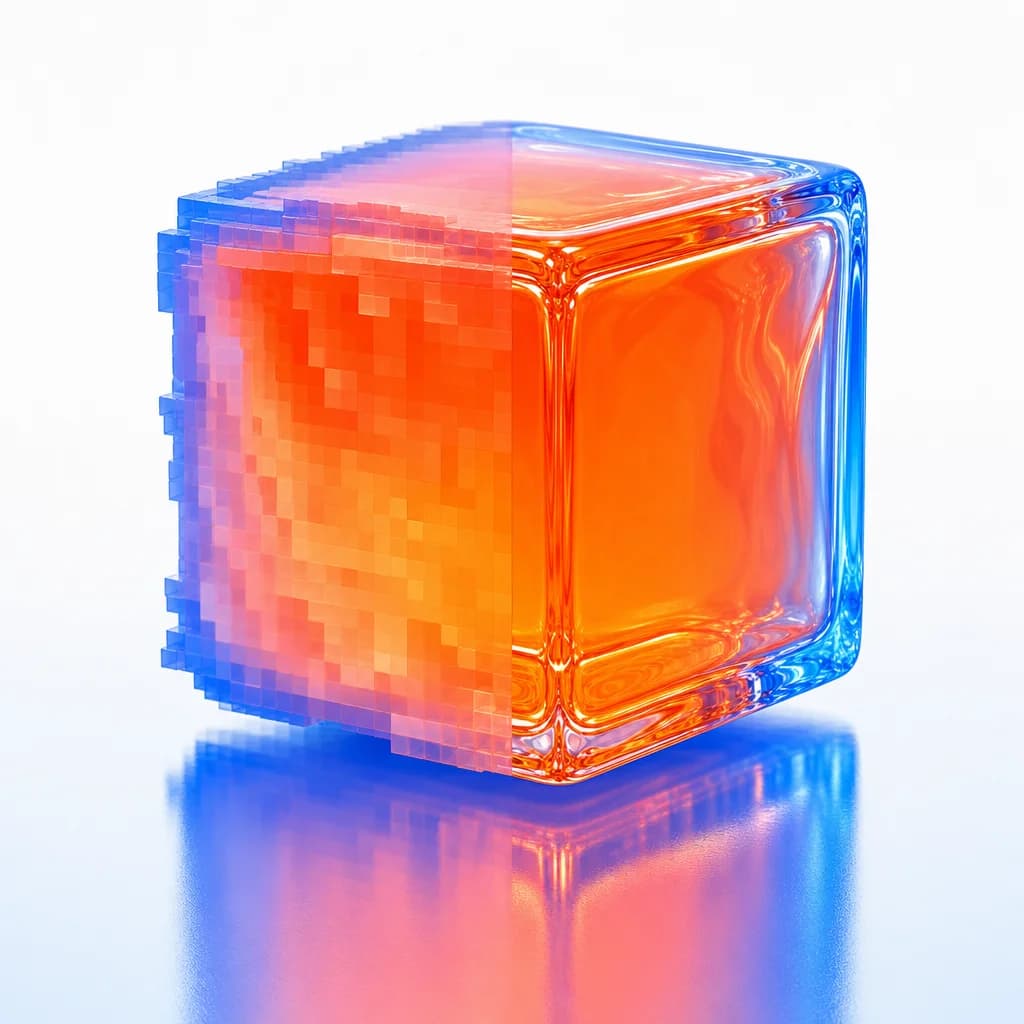
Pixel Turning Into Glass Cube
Editor's note
Half the cube is still rendering in blocky pixels, half is finished glass. A literal picture of resolution finishing itself.
A single translucent jelly-textured 3D cube floating center frame, surface like glossy candy resin with soft internal refraction. The left half of the cube is rendered low-resolution — visibly chunky, blocky pixel steps along its edges, soft-blurred facets. The right half is crisp and razor-sharp — clean specular highlights, fine micro-detail, smooth glossy bevels. A vertical seam down the middle marks the transition from pixelated to sharp. Cube sits on a glossy reflective floor catching a soft mirror reflection. Palette: hot orange #FF6B35 cube body, electric blue #0057FF rim accents and floor reflection, white #FFFFFF background sweep. Lighting: clean even studio softbox front-on, bright and shadowless. Camera: medium straight-on, f/8, full cube in sharp focus on the right.
How to Use This Prompt
- 1Copy the prompt above — the full text, not a trimmed version.
- 2Open Workroom and pick GPT Image 2 as the model, then paste the prompt in.
- 3Hit Generate, then change one detail and run it again — the fastest way to make it yours.
Every prompt in the library works the same way — copy, paste into the model, generate.
Explore More Image Prompts More from GPT Image 2
All Image Models





Every prompt here was actually run.
Workroom is one account for every image and video model — pick any prompt above, or start from scratch.