
Workroom's AI lip sync tool offers four models. LTX Lipsync is the selected model — fast and unlimited on paid plans. Lipsync Video Labs takes a talking-head video. Lipsync Image Labs takes a still image. Sync.co Lipsync is an alternative video-based engine.
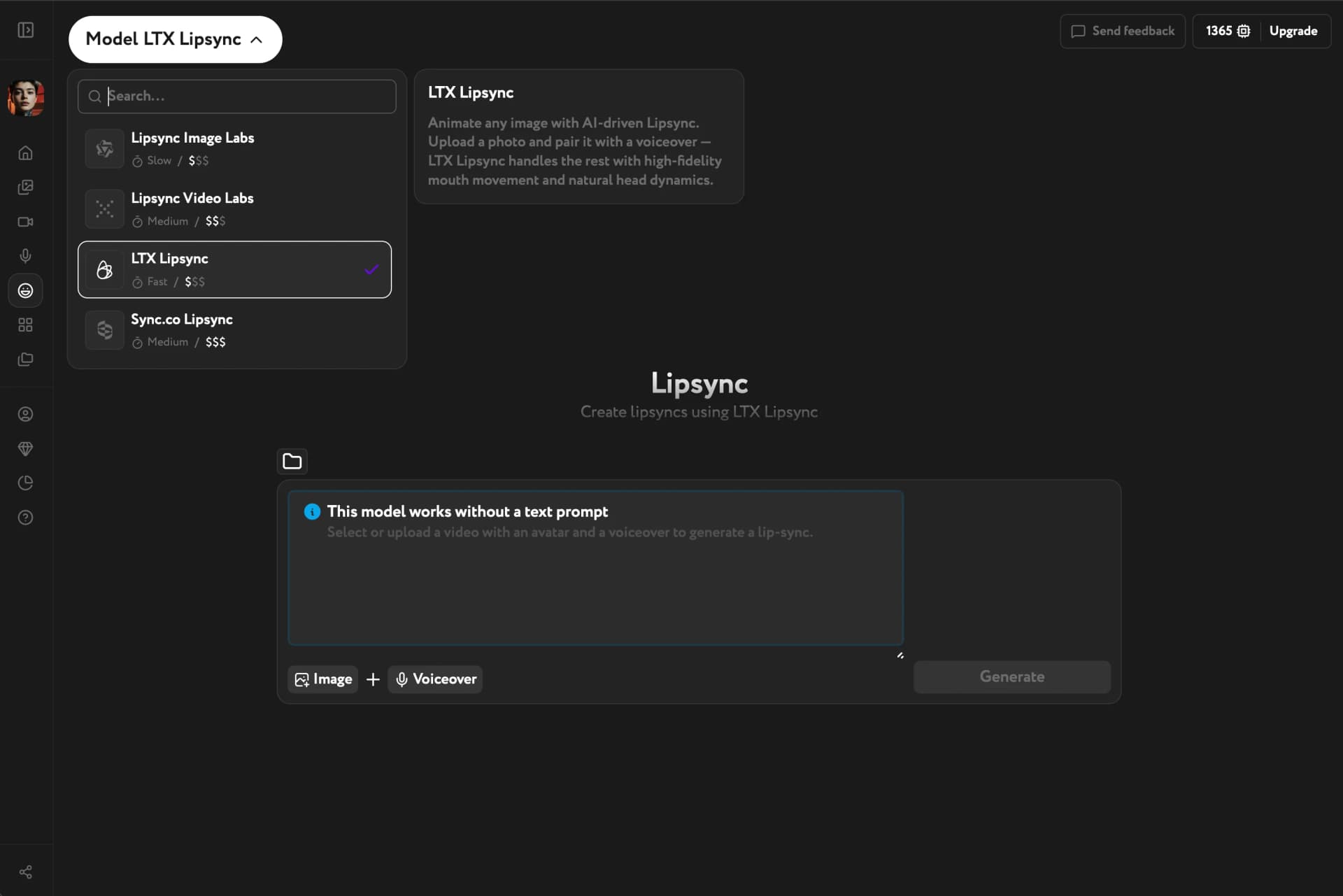
Model overview
| Model | Input | Speed | Best for |
|---|---|---|---|
| LTX Lipsync | Image + voiceover | Fast | Unlimited on Starter and Pro; fastest turnaround |
| Lipsync Video Labs | Video + voiceover | Medium | Video input, general use |
| Lipsync Image Labs | Image + voiceover | Slow | High-quality image-based lipsync |
| Sync.co Lipsync | Video + voiceover | Medium | Alternative video lipsync engine |
LTX Lipsync is a selected model — it runs unlimited on Starter and Pro and costs credits on the Free plan. Lipsync Video Labs, Lipsync Image Labs, and Sync.co Lipsync are premium models — available only on paid plans and cost credits.
Lipsync Image Labs — image input
Lipsync Image Labs accepts a still image instead of a video. It generates a lipsync result from a photo — useful when you have a reference image but no recorded footage.
When you select Lipsync Image Labs, the input control switches from Video to Image.
Switch your model
Open the model selector in the top-left corner of the Lip Sync page. Selecting a model immediately updates the input controls in the bottom bar.
Start with LTX Lipsync on a paid plan for unlimited, fast generations. Switch to Lipsync Video Labs when you have a video source. Use Lipsync Image Labs when you only have a photo.
Once you've picked a model, see Prepare source files for input guidelines and Create a lip-sync video to generate your first result. If you only have a portrait photo and want the mode choice made for you, Talking Avatar wraps the same job into a three-field app.