
Dracula Eats Marshmallow
Editor's note
Dracula walks up to camera, bites a marshmallow with a dead stare and dances off into a candlelit hall. A party clip, recast with brides, hunter and set.
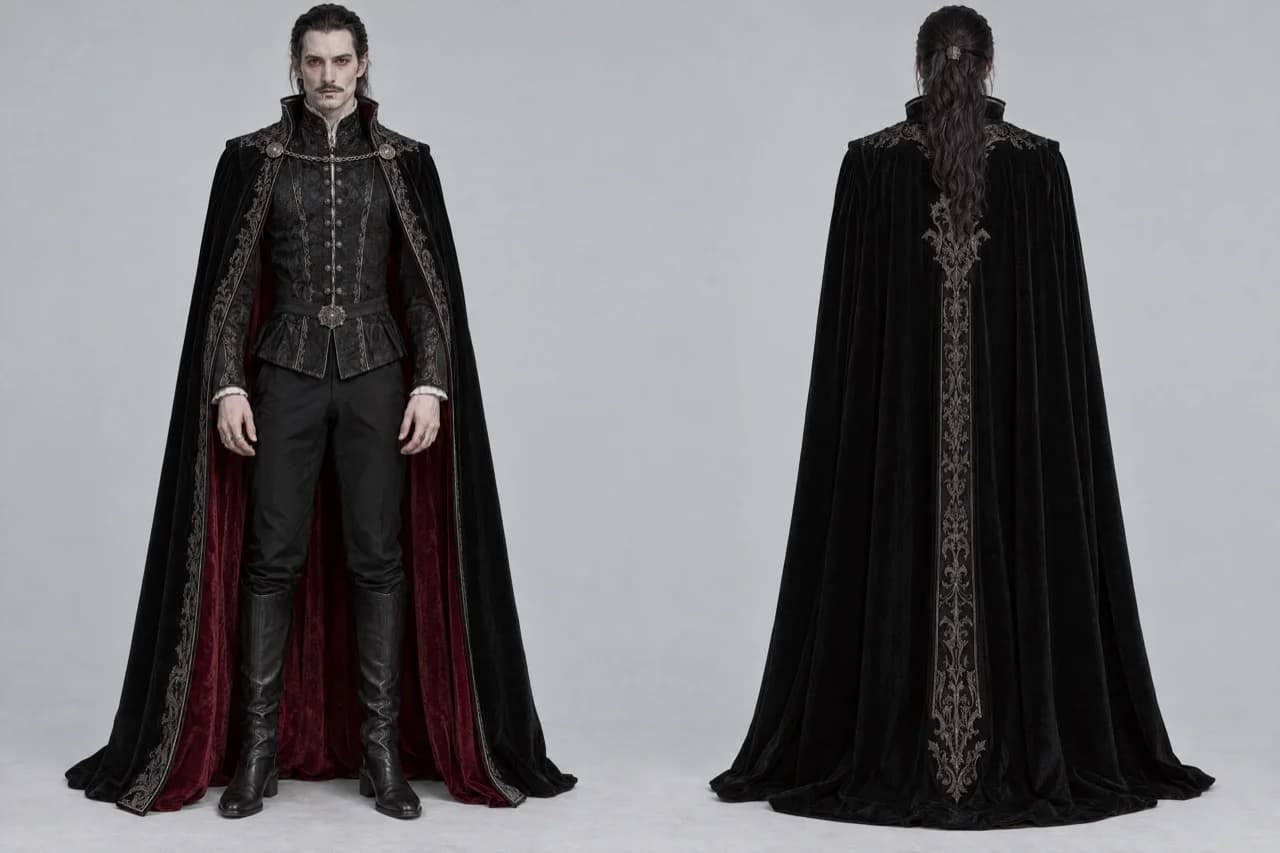
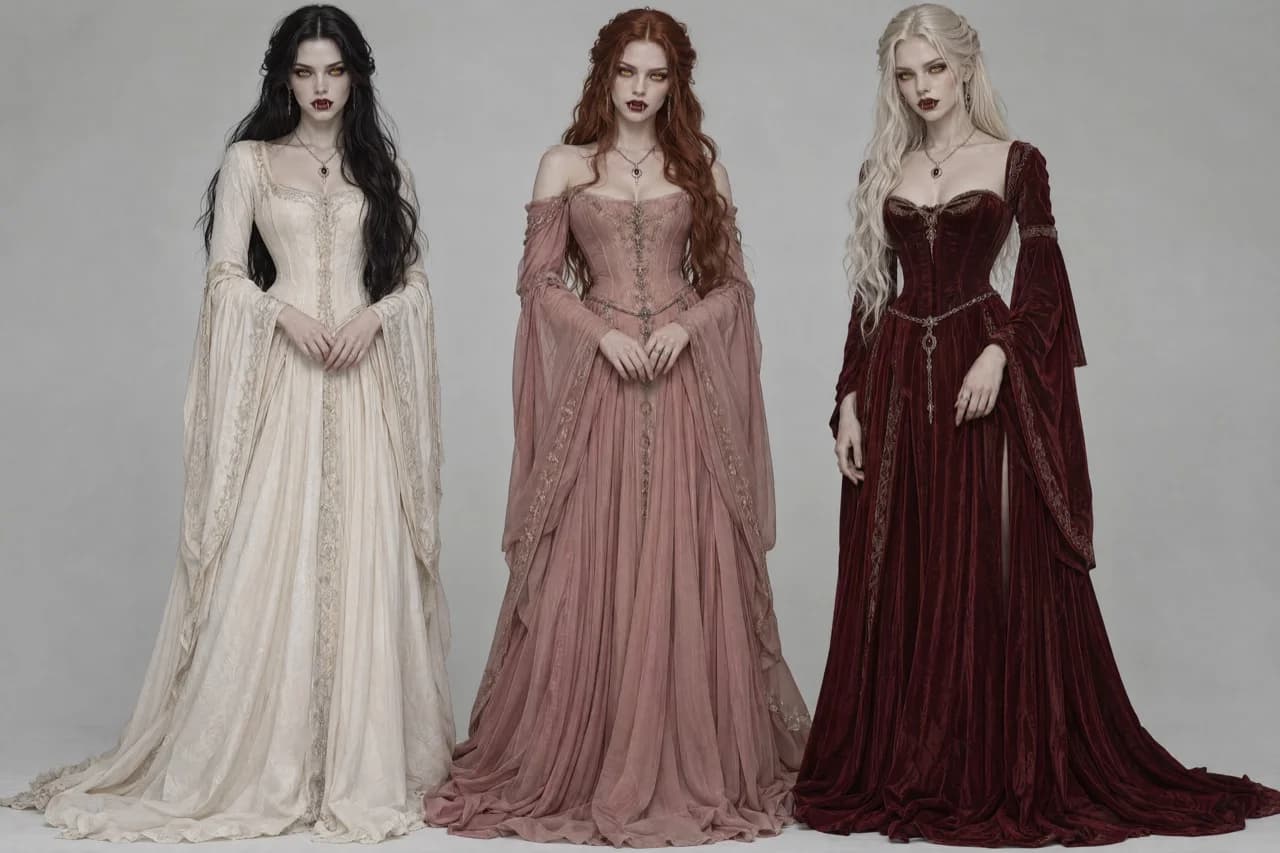
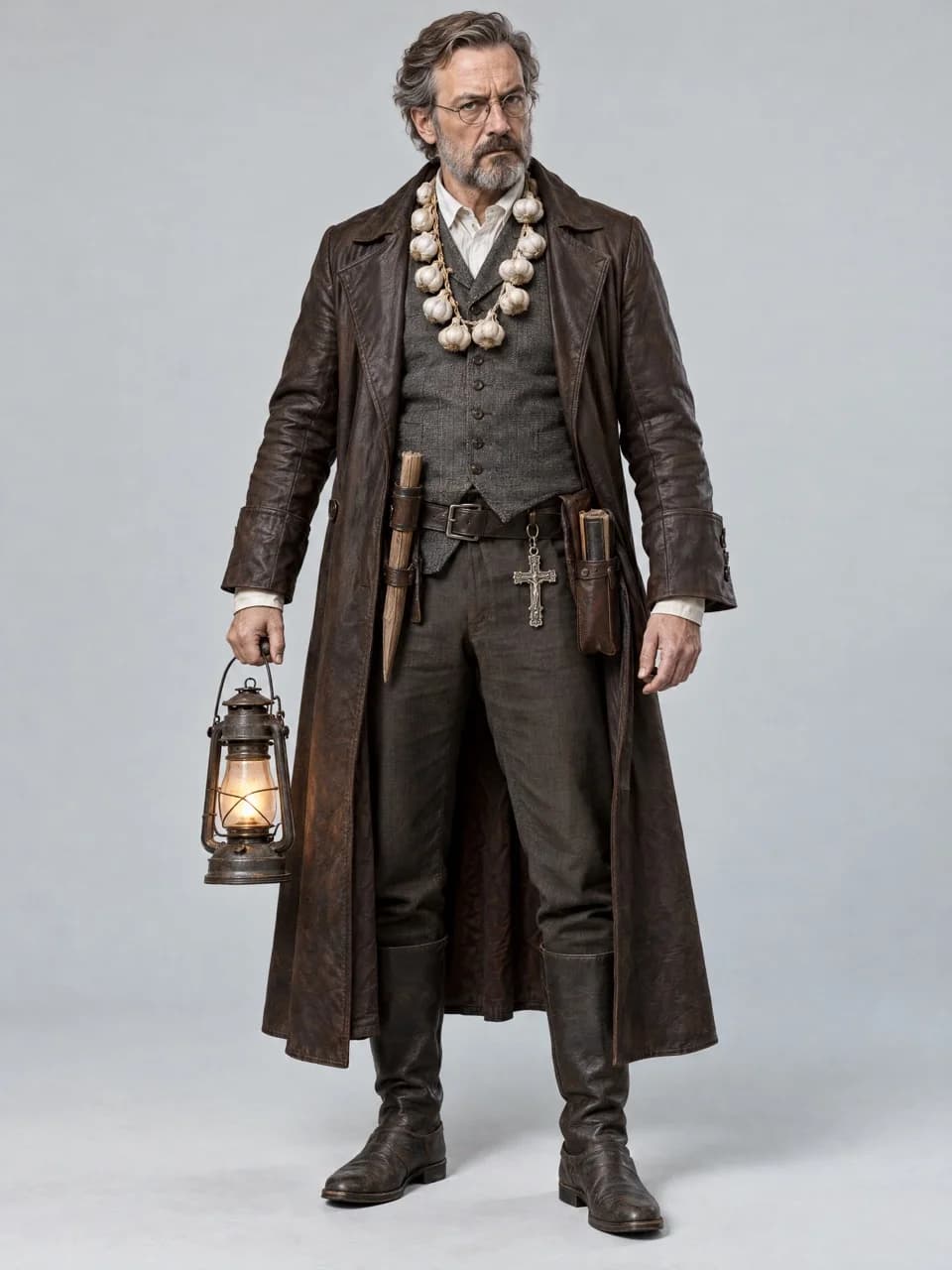
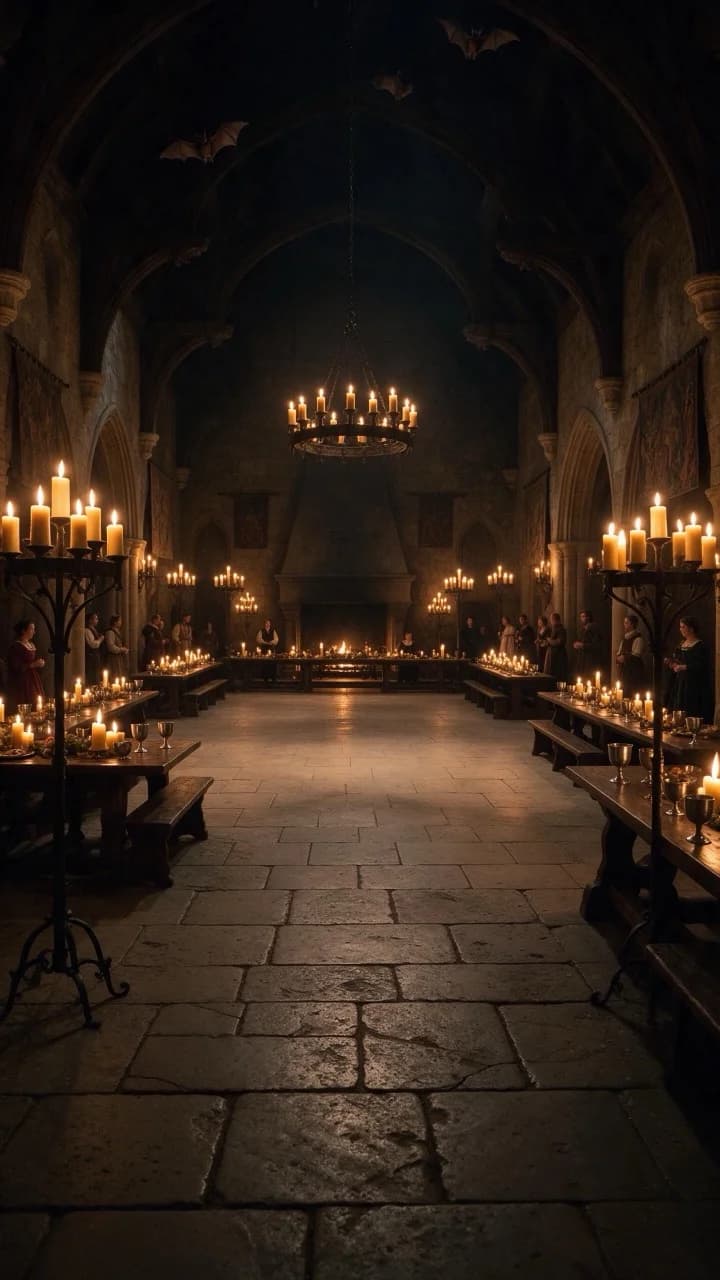
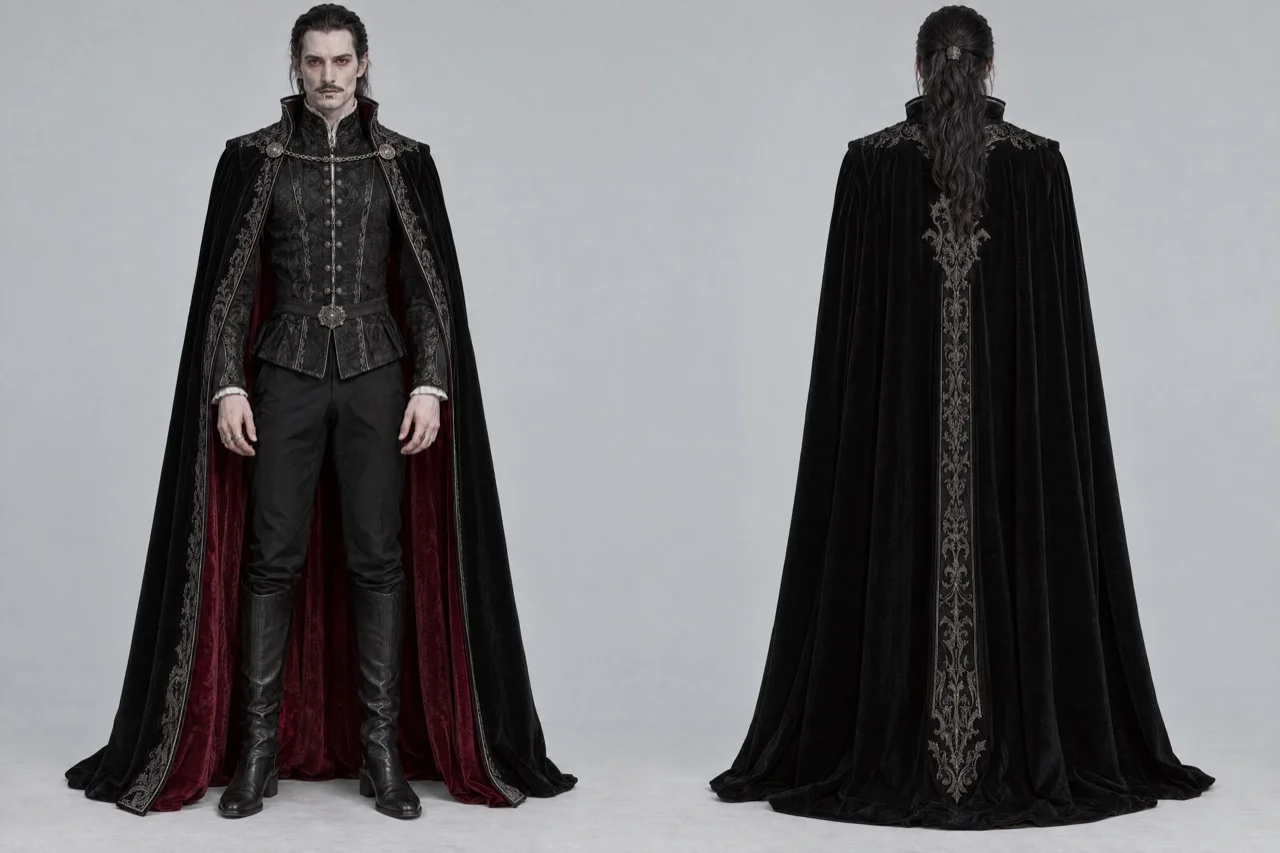
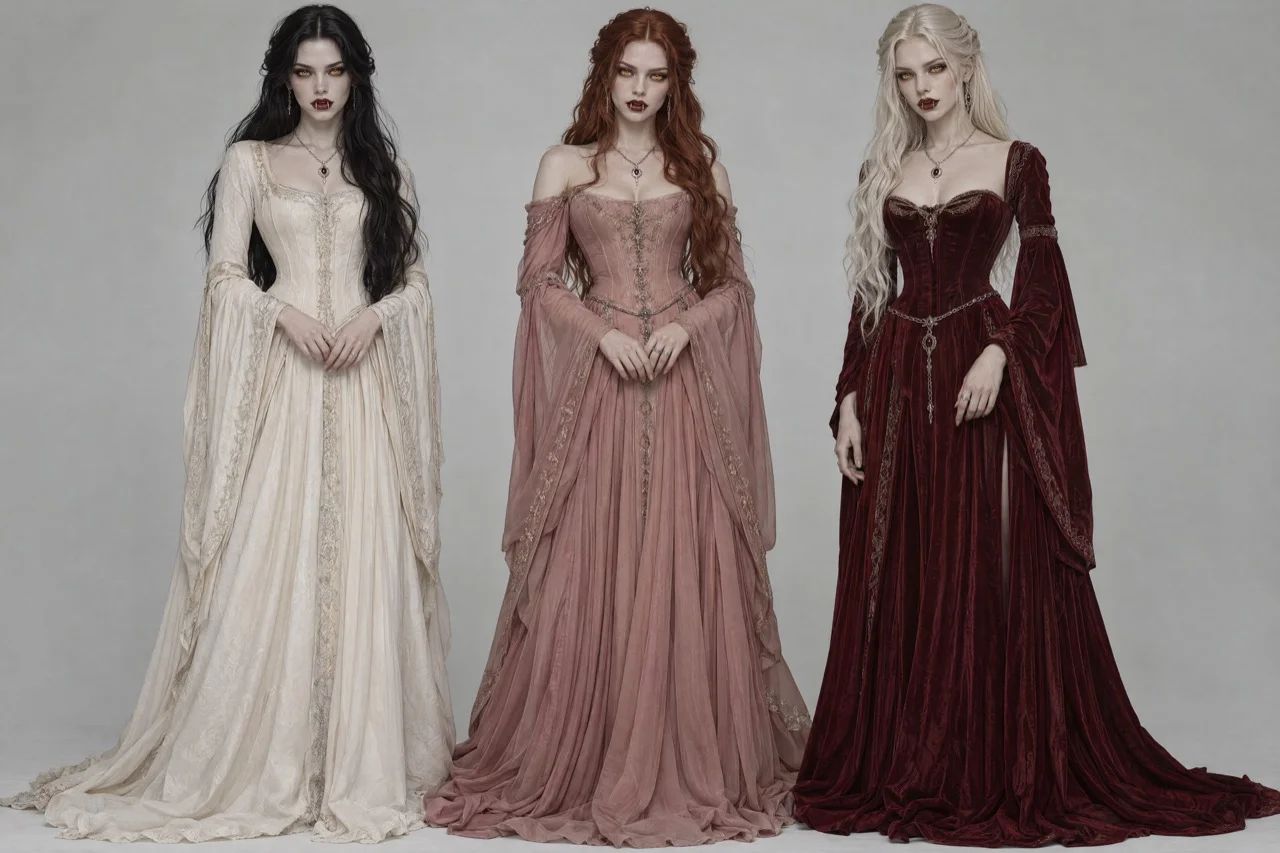
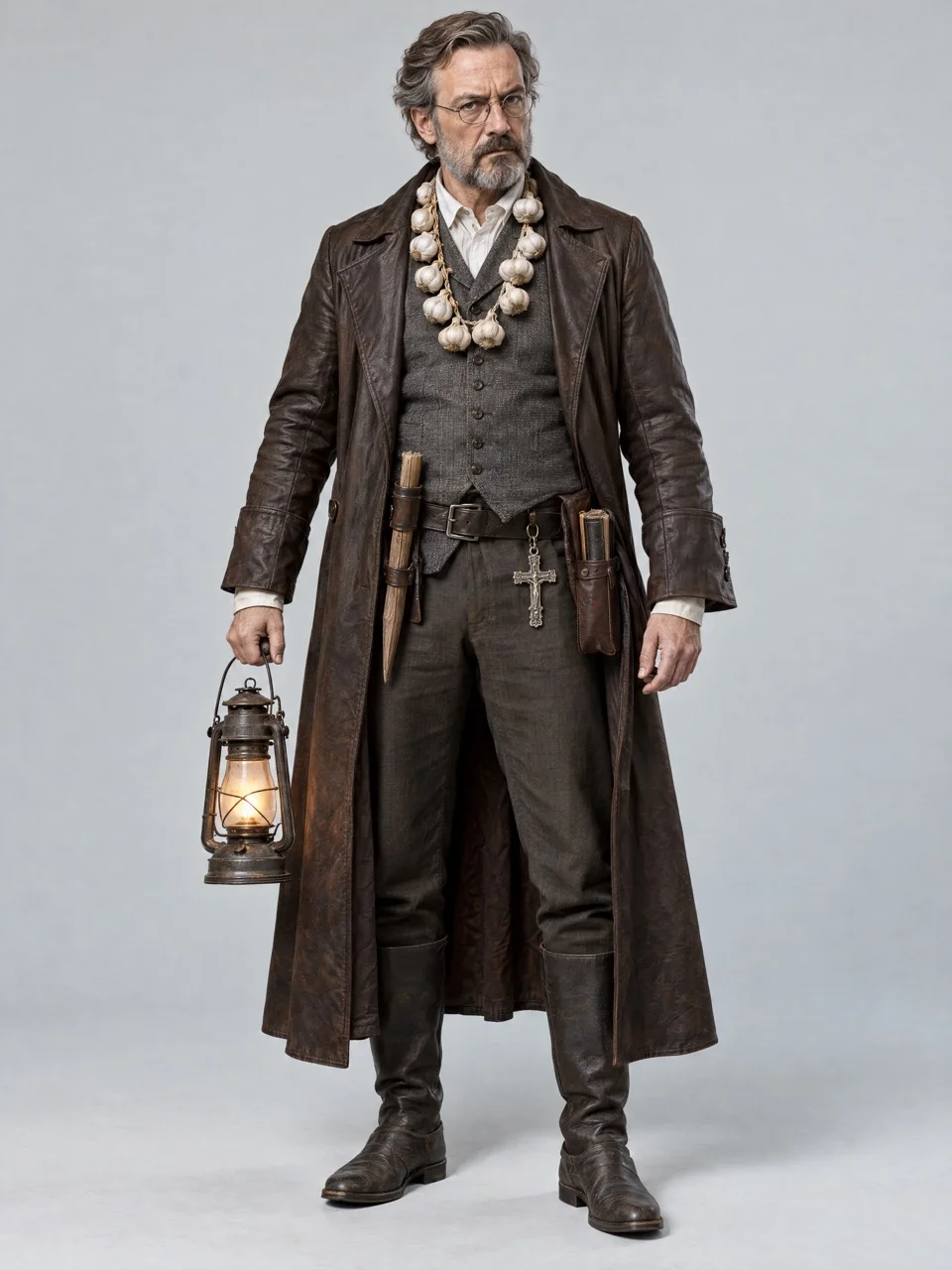
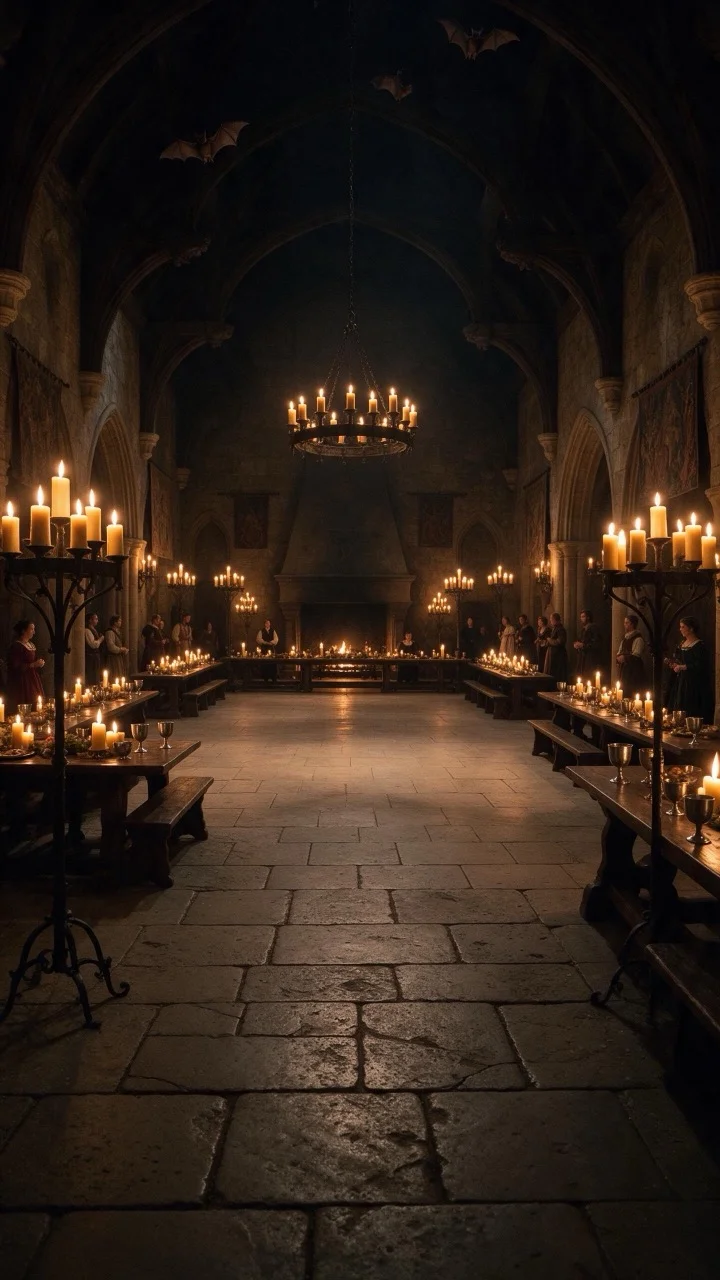
@Video1 controls motion, camera, composition, timing, and sound; keep all of it exactly: the dancer comes toward the handheld camera, takes out a plain white marshmallow, bites it and chews with a deadpan face staring straight into the lens, then turns away and dances off into the crowd. @Image1 controls the identity of the dancer: replace him in every frame with the person from @Image1, including face, hair, build, outfit. No trace of the original. @Image2 controls the people who follow and dance behind him: replace the guests behind him with the people from @Image2. @Image3 controls one onlooker in the crowd who squints suspiciously at the dancer; only one of him. If @Image2 or @Image3 is not provided, fill the crowd with people dressed to fit the location. If @Image4 is provided, it controls the location: replace the room, furniture, lights and floor to fit that place, and dress everyone in the background to match it. If @Image4 is not provided, keep the original environment. From @Video1 take only the motion and the camera; take none of its people, clothes, furniture, lights or floor. The marshmallow stays plain white and clearly visible. One continuous shot, no cuts, no subtitles, no text.
What You Need
The prompt points to each file by its tag, like @Video1. Download the examples or bring your own.
How to Use This Prompt
- 1Copy the prompt above — the full text, not a trimmed version.
- 2Open Workroom: Video → WAN 3.0. Use reference mode; in settings pick 720p or 1080p and 8 seconds.
- 3Upload the files in this order: Video 1 → Image 1 → Image 2 → Image 3 → Image 4.
- 4Paste the prompt and hit Generate. Check the first result before making more.
Every prompt in the library works the same way — copy, paste into the model, generate.
Explore More Video Prompts More from WAN 3.0
All Video Models





Every prompt here was actually run.
Workroom is one account for every image and video model — pick any prompt above, or start from scratch.