
Credits are the currency for AI generations in Workroom's AI workspace. On the Free plan, every generation spends credits — except your first 5 app generations each month, which come free. On Starter and Pro, selected models run without spending credits — credits go to premium models and apps.
Check your balance
Your current balance sits in the top-right corner.

See what each generation costs
Every Generate button shows the credit cost before you click. Change the model, duration, or resolution and the cost updates instantly.

On Starter and Pro, selected models show no cost — they run unlimited without spending credits. Premium models show a credit cost on the Generate button. On the Free plan, premium models show a lock icon and are not available until you upgrade.
Apps work a little differently — the cost shows on the Generate button. On the Free plan, your first 5 app generations each month are free, shared across apps. A few apps built on premium engines are available on paid plans only and show a lock icon on Free. On Starter and Pro, every app runs on credits.
Credits are deducted the moment a generation begins. If it ends with an error, the same amount is automatically returned to your balance.
Track credit usage
Open Usage in the sidebar to see a full log of every change to your balance:
- Credits received at signup
- Each generation you run
- Subscription top-ups
- Credits returned after errors
- Monthly credit additions
- Adjustments after plan changes
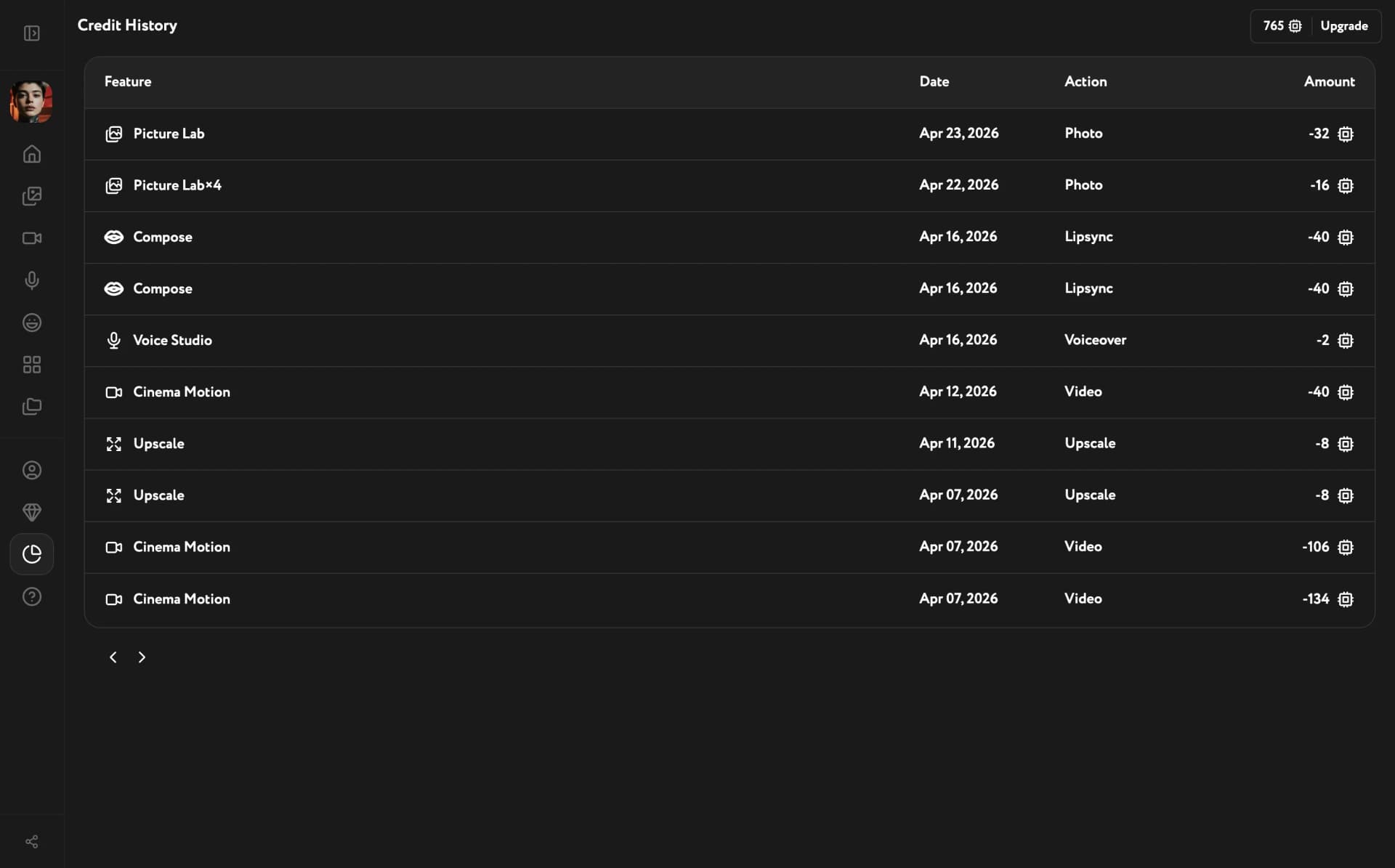
Each row shows the feature, date, action type, and the signed credit amount.
Choose a plan
Workroom has three monthly plans.
Free — $0/month. 200 credits per month with a daily cap of 40 credits. Core Workroom tools are accessible — selected models cost credits, premium models require an upgrade. 5 free app generations per month (shared across apps). A few apps are available on paid plans only. 1 image per prompt.
Starter — $19.99/month. 1,180 credits per month, no daily cap. Selected models run unlimited. Premium models unlocked, 1–4 images per prompt.
Pro — $49.99/month. 3,850 credits per month. Everything in Starter, plus advanced video tools, priority support, and full commercial use rights.
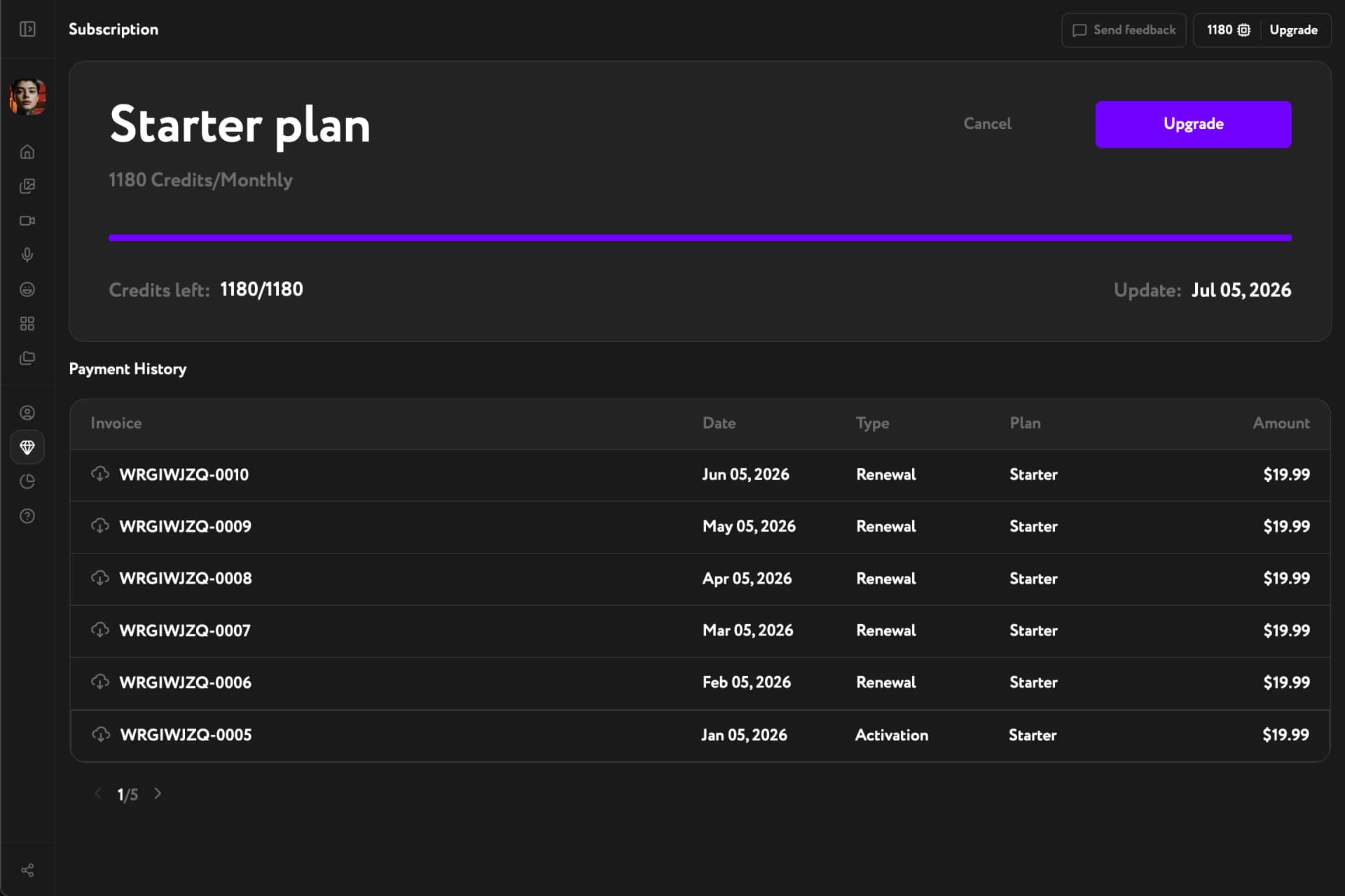
Your subscription activates immediately after checkout. You receive your monthly credits and all plan features right away.
Pay and download invoices
You can pay with major payment cards: Visa, Mastercard, American Express, and others.
After each payment you receive an email receipt. You can also download your invoice at any time in Subscription → Payment History.
Understand monthly renewal
Your plan renews on the same date every month. At each renewal:
- new monthly credits are added to your balance
- credits from the previous month expire
- all plan features continue without interruption
Upgrade your plan
- immediate access to additional credits
- access to premium models and unlimited generations on selected models
- a charge equal only to the price difference between your current and new plan
Downgrade or cancel your plan
Switching to a lower plan: the new plan activates immediately and all remaining credits from the previous plan are burned at that moment. Starter is the lowest available paid plan.
Stopping auto-renewal: your current plan stays active until the end of the paid period. After it expires, your account moves to the Free plan automatically.