
Workroom is an AI workspace for video, image, and voice generation. Every account starts on the Free plan — 200 credits per month, no credit card needed. That is enough to start creating with our selected models.
What's included
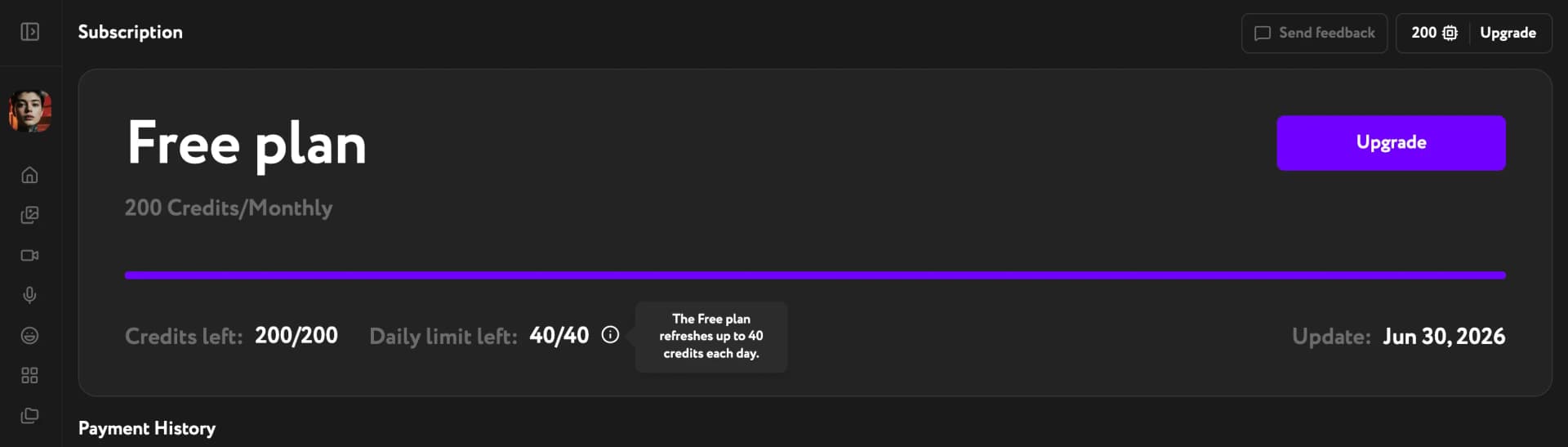
Your credit balance is on the Subscription page, with a progress bar showing what's left. Every Generate button shows the cost upfront.
Workroom's core tools are available from day one. Apart from your free app generations, every generation spends credits from your balance. On the Free plan, selected models are the only ones accessible:
- Image — Z-Image, Flux 2 Klein, Qwen Edit
- Video — LTX 2.3
- Voice — Workroom voiceover (Qwen TTS)
- Lip Sync — LTX Lipsync
Apps — Image Upscaler, Video Upscaler, Background Remover, Face Swap, Color Grading, Sound Design and more: you get 5 free app generations every month, shared across apps. After the pool is used, each app run costs credits. A few apps that run on premium engines are available on paid plans only — like premium models, they show a lock icon.
Understand the limits
Daily cap — you can spend up to 40 credits per day. Selected image models cost 1–4 credits per generation and a five-second LTX 2.3 video costs 5, so that is roughly 10–40 images or up to 8 videos a day at full pace. The cap resets every day.
Monthly credits — your 200 credits renew at the start of each new billing period. The renewal date is shown next to Update on the Subscription page. Unused credits do not carry over.
Free app generations — 5 per month, shared across apps. When the pool runs out, app generations cost credits, with the cost shown on the Generate button. Apps marked with a lock need a paid plan.
Images per prompt — the Free plan generates 1 image at a time. Starter and Pro allow up to 4.
When you want more
If you hit the daily cap or run out of monthly credits, the Upgrade button at the top takes you to the plans page. The same applies if you need a premium model.
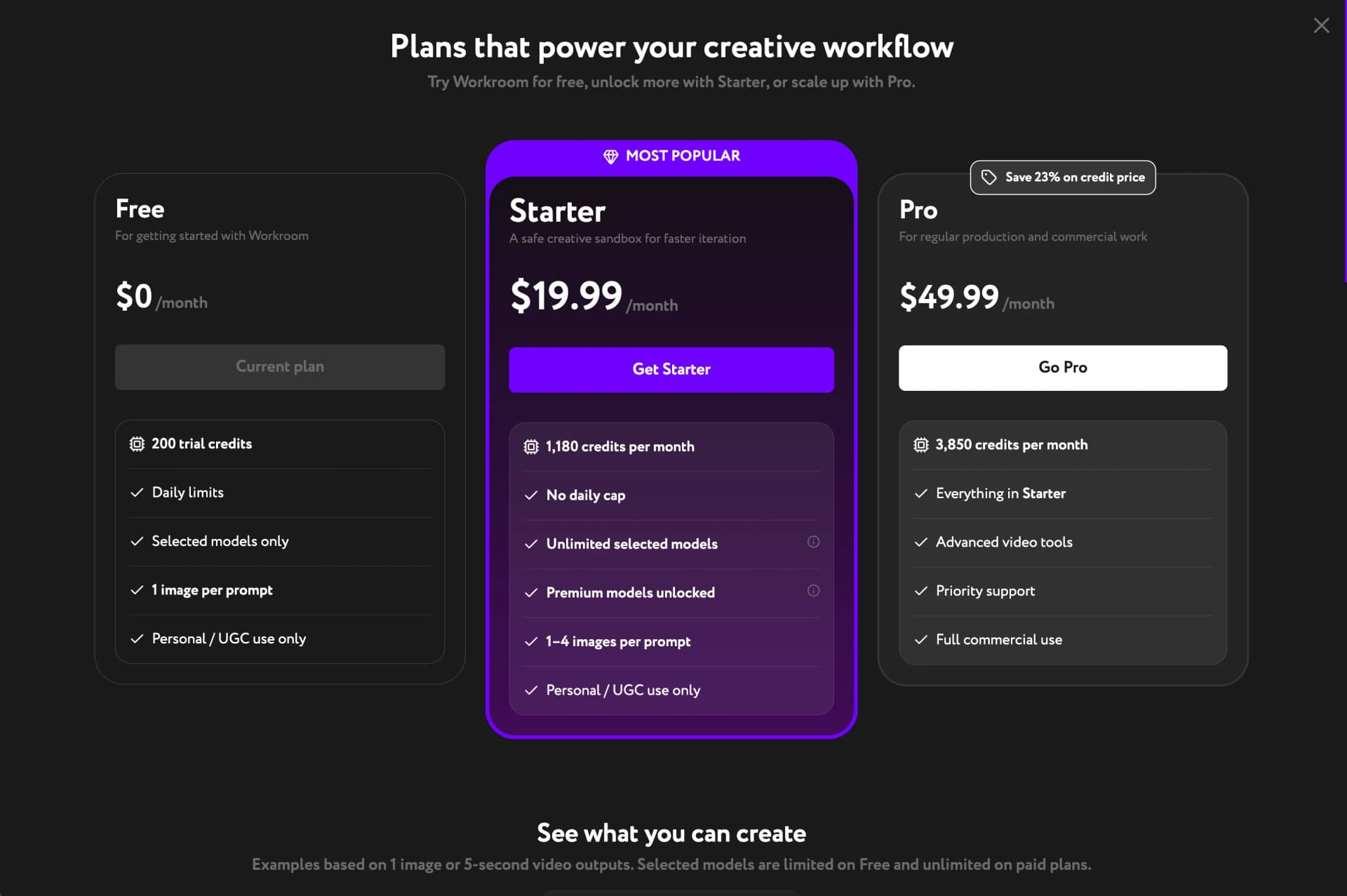
Starter ($19.99/month) removes the daily cap and makes selected models unlimited — credits then apply only to premium models. Pro ($49.99/month) adds advanced video tools, priority support, and full commercial use rights.