
Flux 1 Kontext Pro is an AI image editing model — it takes an existing image and modifies it according to your prompt. The Starter Shot is that source image: the base the model edits from. Without a Starter Shot, the model generates from scratch.
Select Flux 1 Kontext Pro
Switch to Flux 1 Kontext Pro from the model selector. The prompt bar shows a Starter Shot button instead of the standard References control.
Set the Starter Shot
Click Starter Shot to open the panel. It shows your previous generations across three tabs: All, Favorites, and Uploaded. Select the image you want to edit, or click Upload to bring in an image from your device.
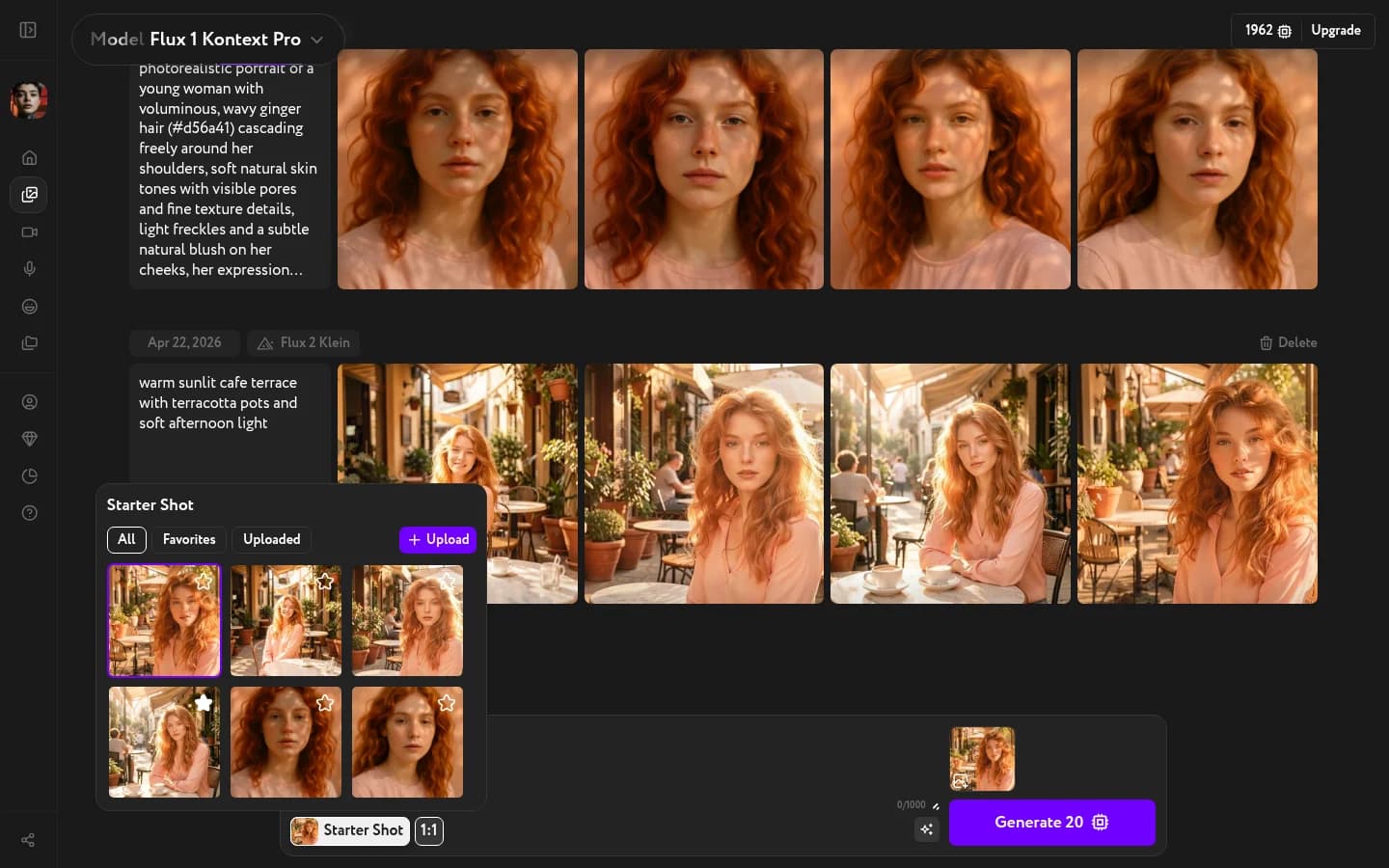
Write an edit prompt and generate
With the Starter Shot set, describe the edit you want to make. Be specific about what should change — the model preserves everything else.
Examples:
- "change the jacket color to red"
- "replace the background with a snowy forest"
- "add sunglasses"
Click Generate. Kontext produces variations of the edited image.