
Change a camera angle

Camera Angle Editor lets you change the viewpoint of any image without reshooting or re-prompting. Drag the orbit sphere to rotate the virtual camera, adjust the horizontal, vertical, and zoom sliders, then generate.

Open Camera Angle Editor

Open Apps from the sidebar and click Camera Angle Editor. You can also reach it from Picture Lab: hover over any generated image and click the Edit Camera Angle action.
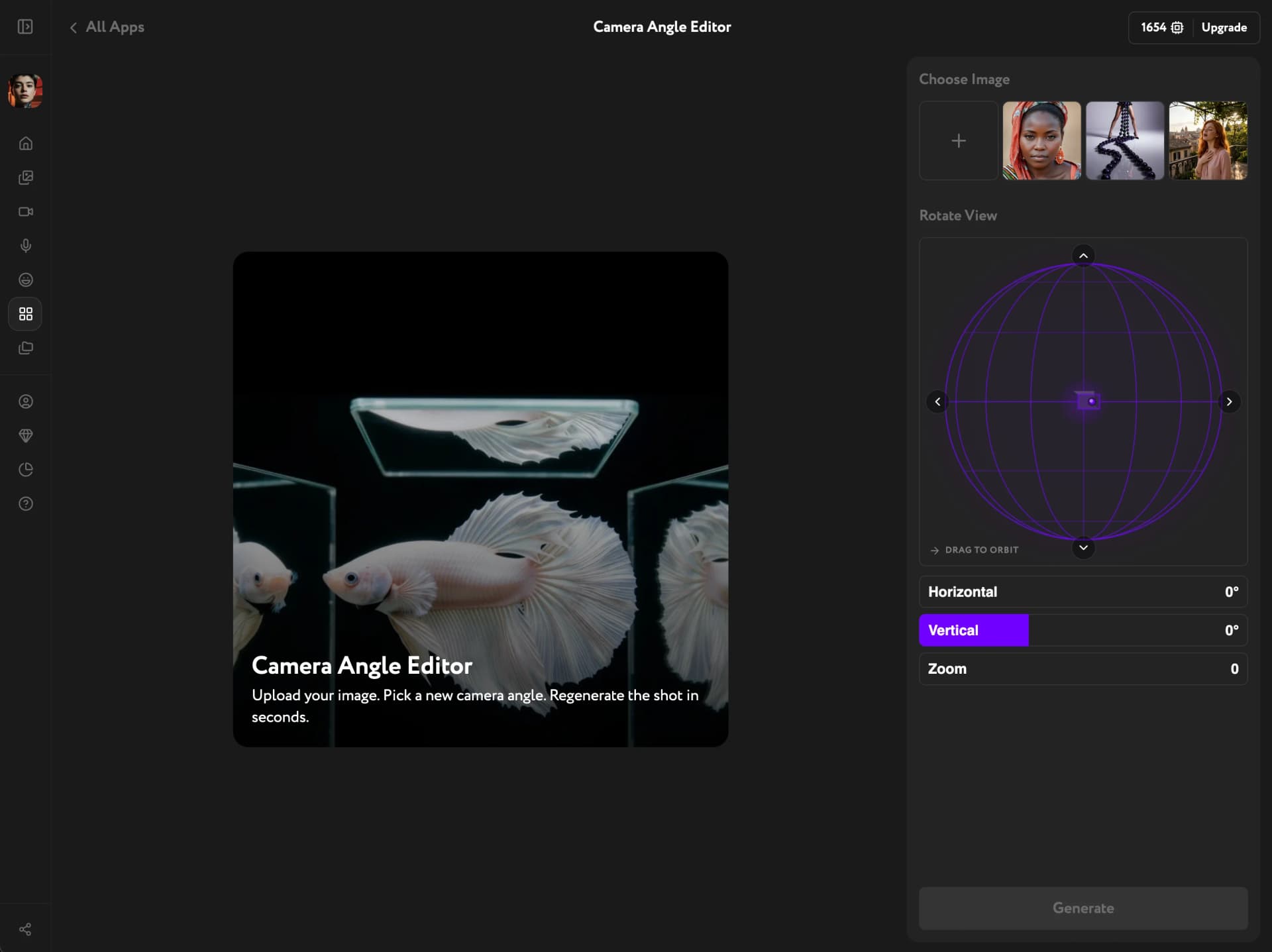
Camera Angle Editor — initial interface with orbit sphere and angle controls

Select your image

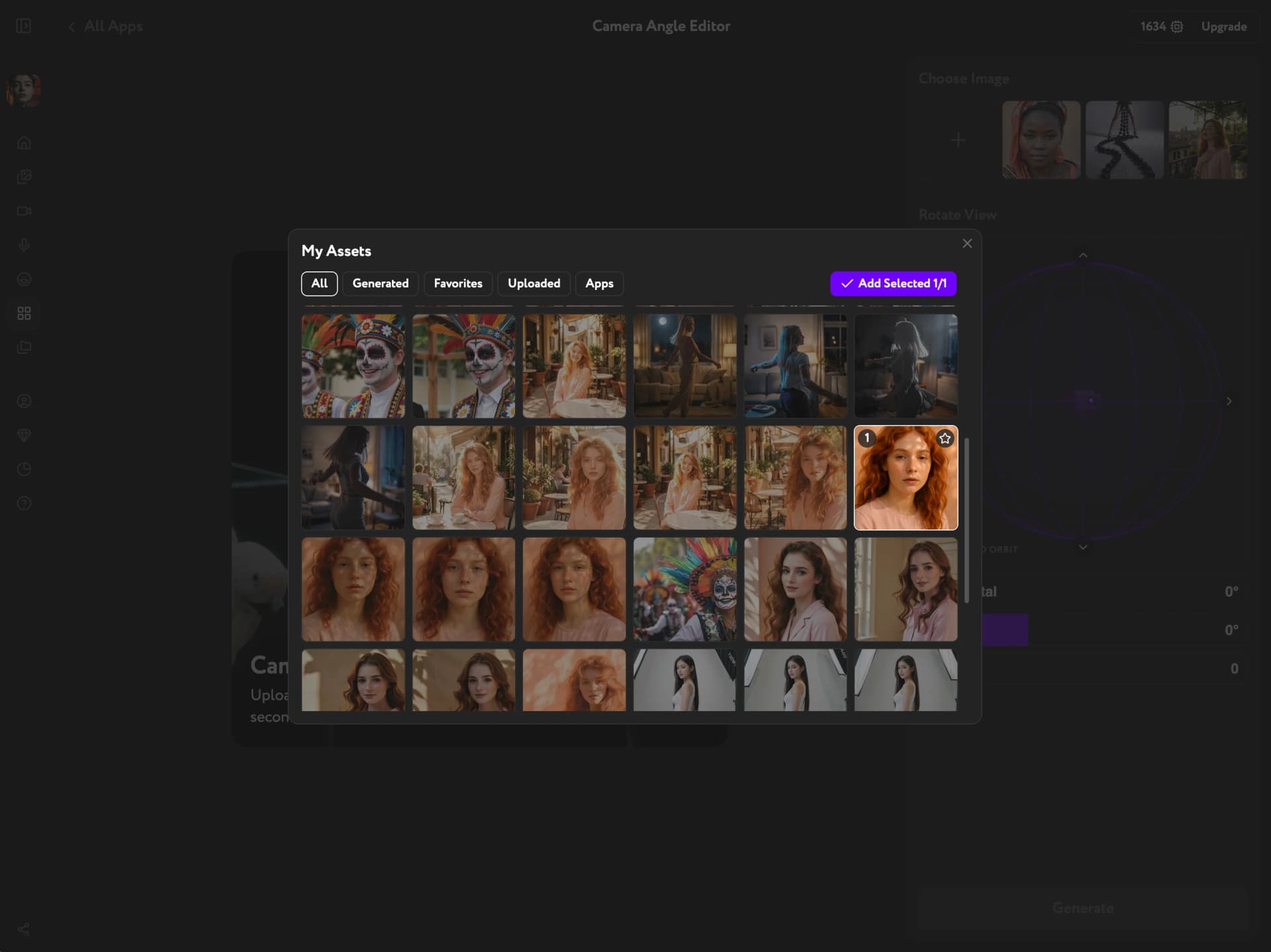
Click Open My Assets and pick the image you want to reframe. Browse Generated, Uploaded, Favorites, or Apps content. Click the image to select it, then confirm.
The tool works best with images of objects, people, products, and architectural scenes. Clear subjects with defined backgrounds produce the most consistent results.
My Assets panel open in Camera Angle Editor — selecting an image to reframe

Set the camera angle

Drag the 3D orbit sphere to rotate the virtual camera to any position. For precise control, use the Horizontal, Vertical, and Zoom sliders below the sphere.
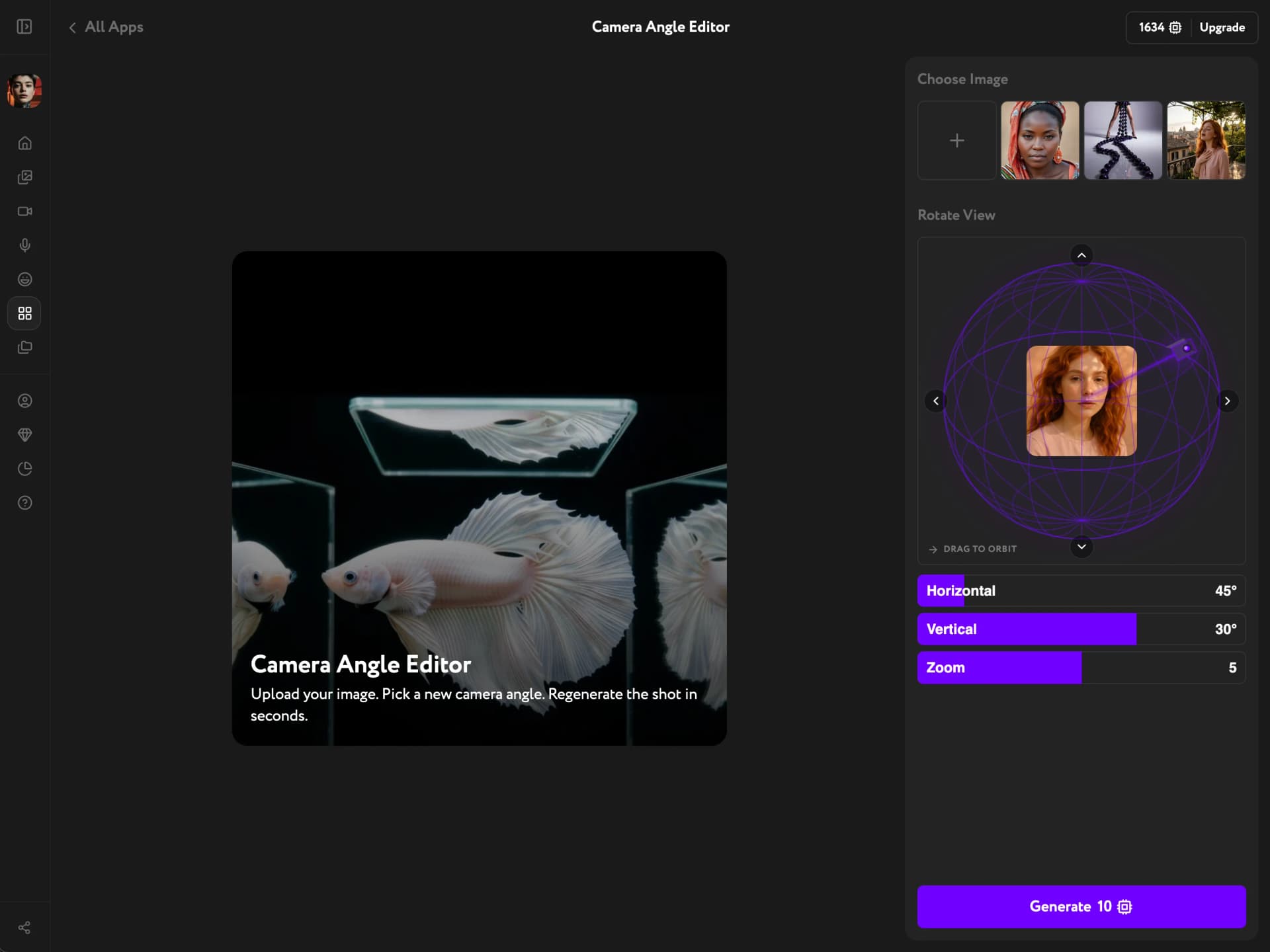
Camera Angle Editor with orbit sphere and angle sliders — Horizontal 45°, Vertical 30°, Zoom 5

Generate and review

Click Generate. The AI reconstructs the scene from the new viewpoint, preserving lighting, proportions, and detail. Review the result and adjust the angle if needed.
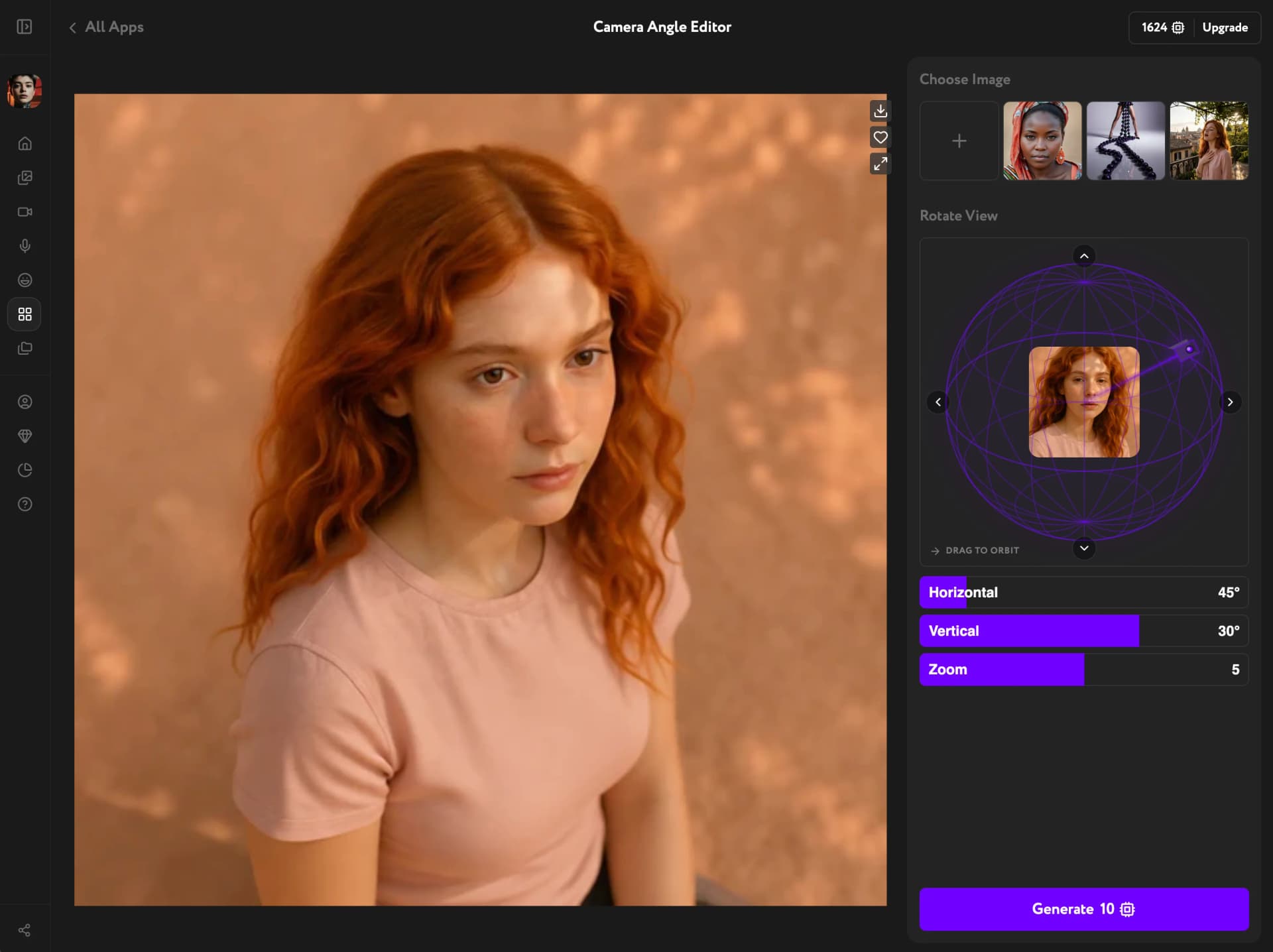
Each generation costs 10 credits. At extreme angles the AI reconstructs areas not visible in the original image, so some variation is expected.
Camera Angle Editor — generated result from a new perspective with controls visible on the right
For more options after generation, see Image result actions.