
The prompt block in Image Generation has output controls that vary by model. Aspect ratio is available for all models. Depending on the active model, you may also see additional controls. These include resolution tiers, quality levels, or other options.
Aspect ratio
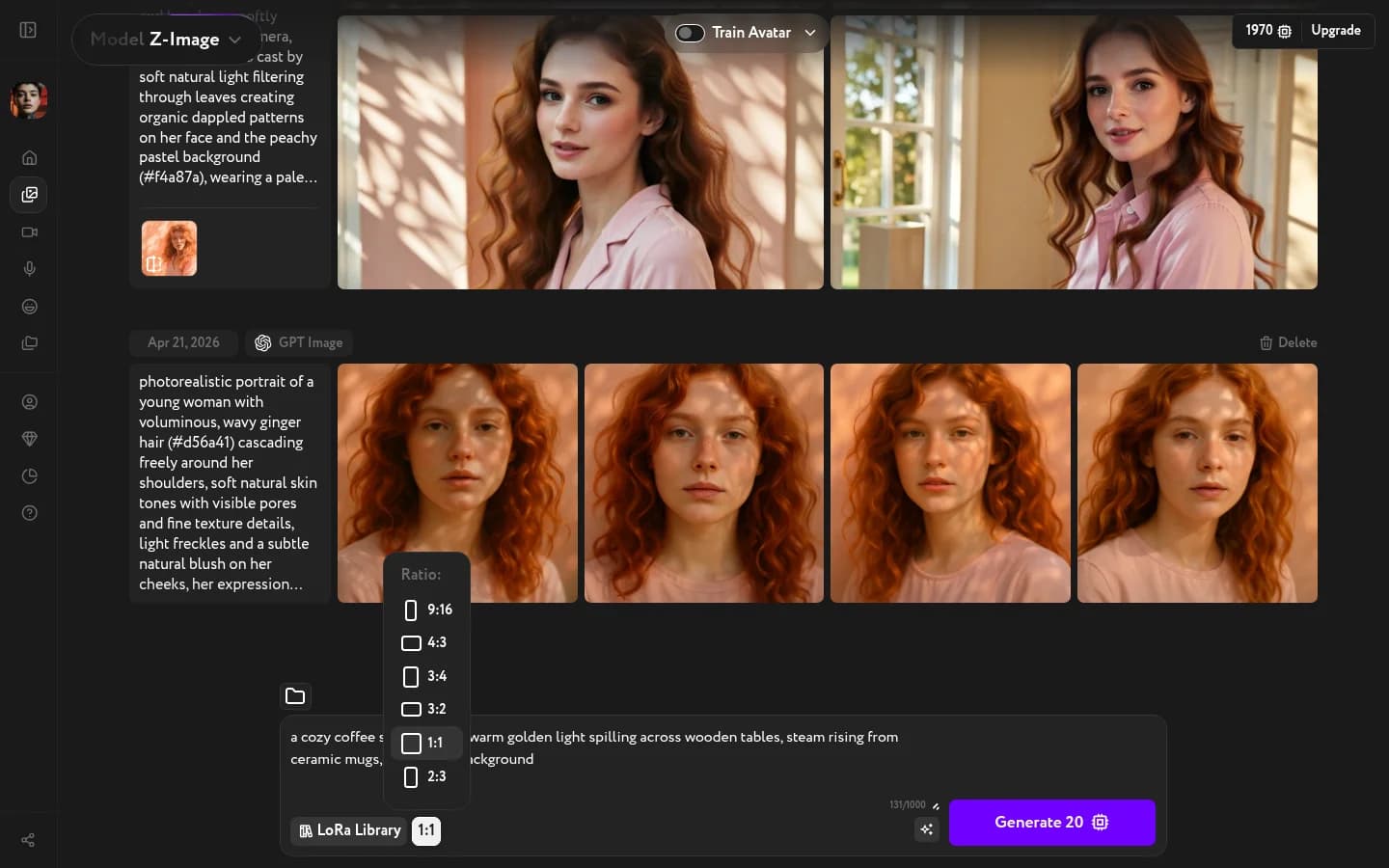
Click the ratio button next to the prompt area — it shows 1:1 by default. A dropdown opens with the available options, each illustrated with a proportional rectangle. The exact set of ratios depends on the selected model.
Resolution and quality
Some models add a second control that lets you choose output resolution or quality tier. The exact options vary by model:
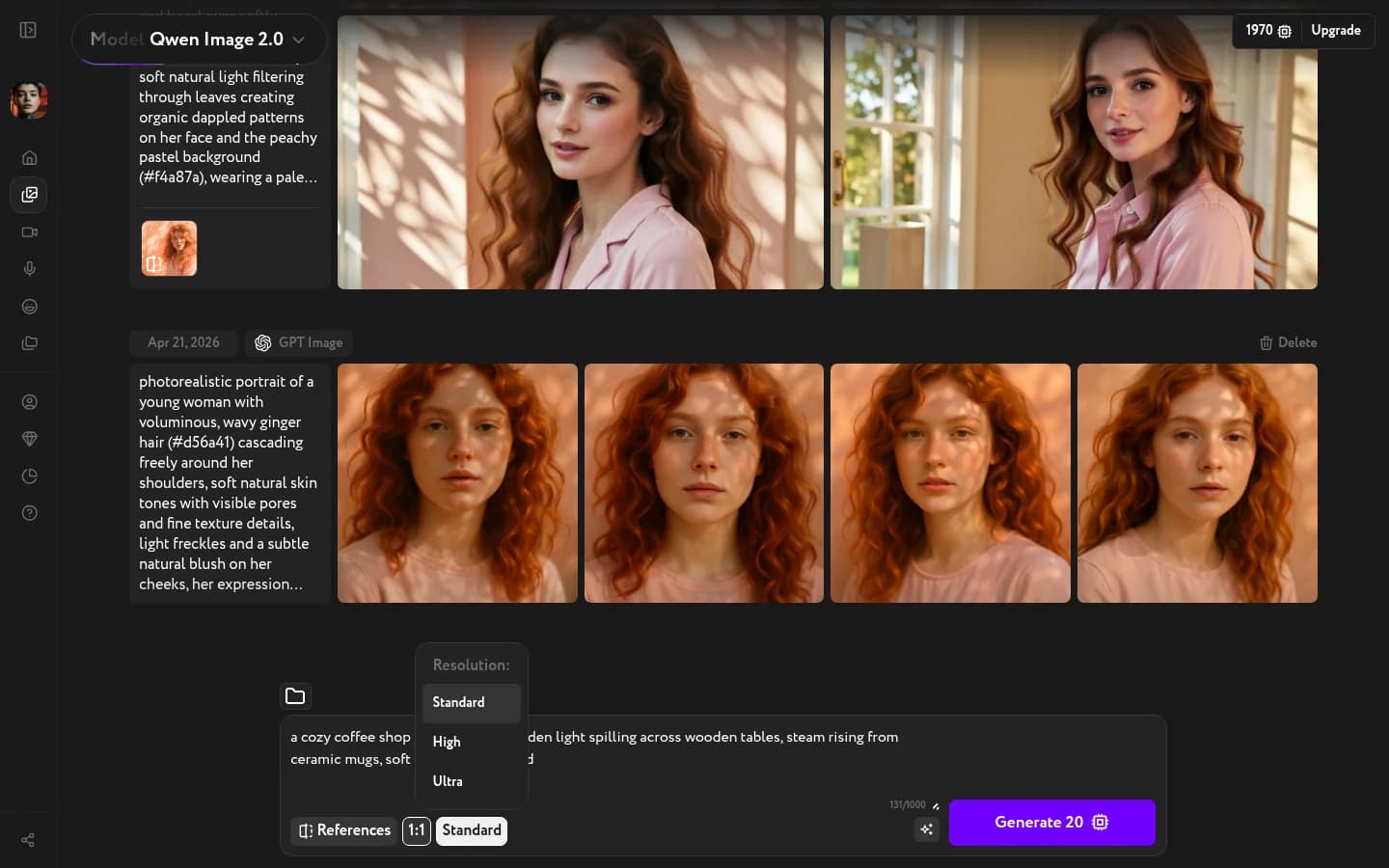
Qwen Image 2.0 — three resolution tiers: Standard, High, Ultra. Standard is the default.
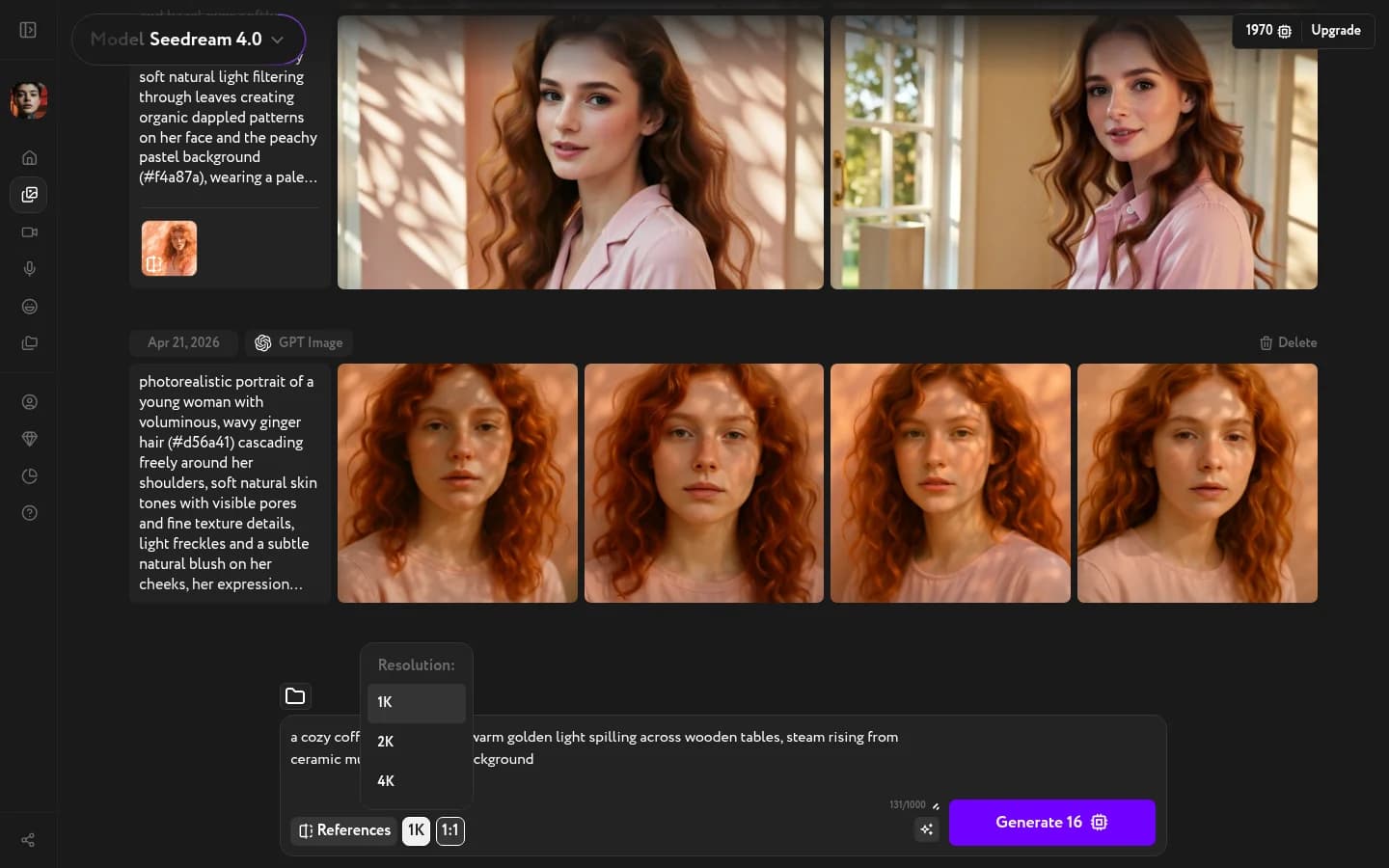
Seedream 4.0 — pixel-count tiers: 1K, 2K, 4K. 1K is the default.
GPT Image 2 — three quality modes: Low, Medium, High. Lower modes draft faster; High runs the full reasoning loop for the most detail.
Other models may offer their own resolution, quality, or additional controls in the same area. The available options appear automatically when you switch models.