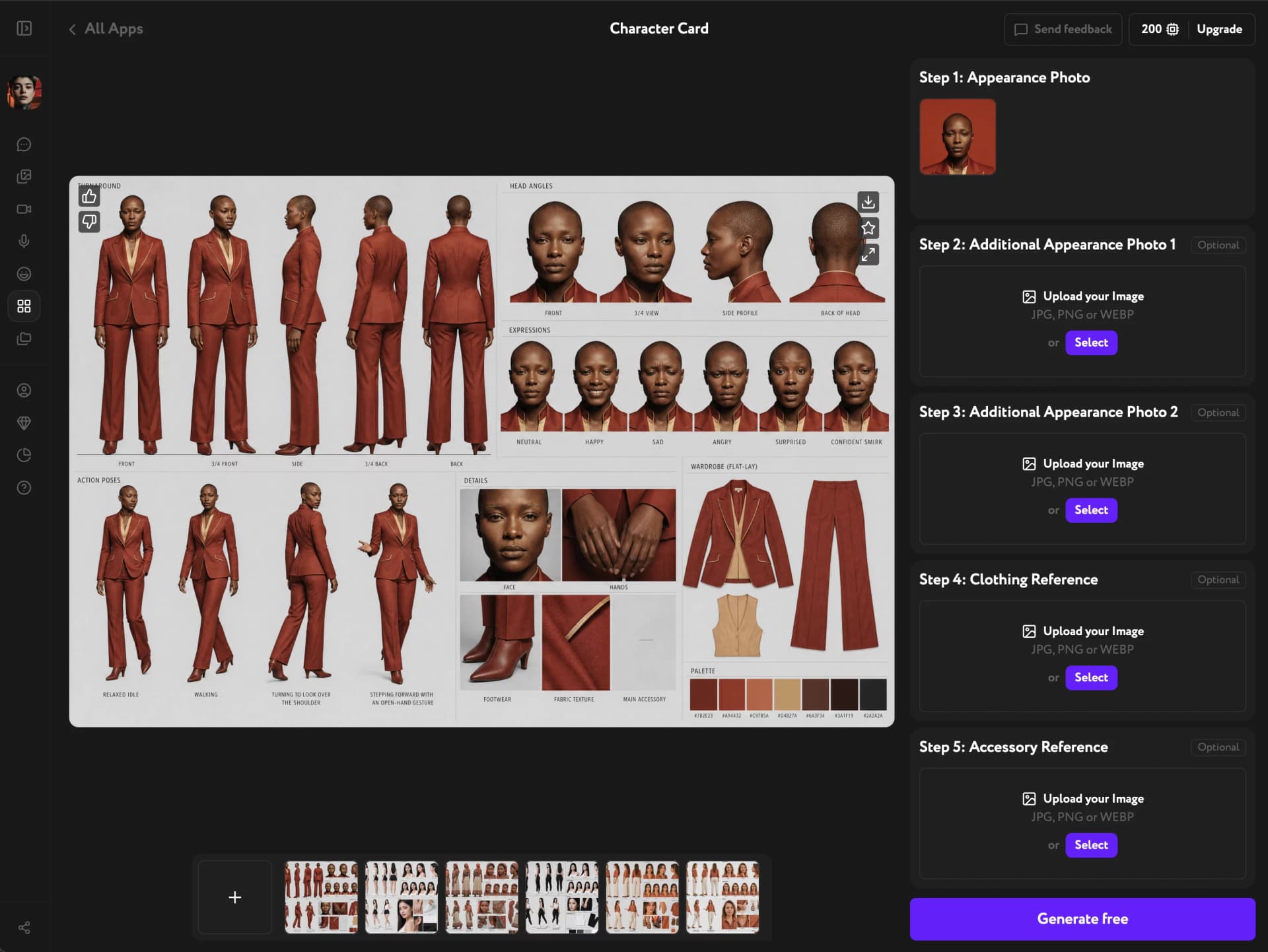
Character Card is an AI tool in Workroom that turns a single photo into a full character reference sheet — turnarounds, head angles, expressions, action poses, and material details. Upload one appearance photo, add optional references, and generate the whole sheet in one pass.
Upload your appearance photo
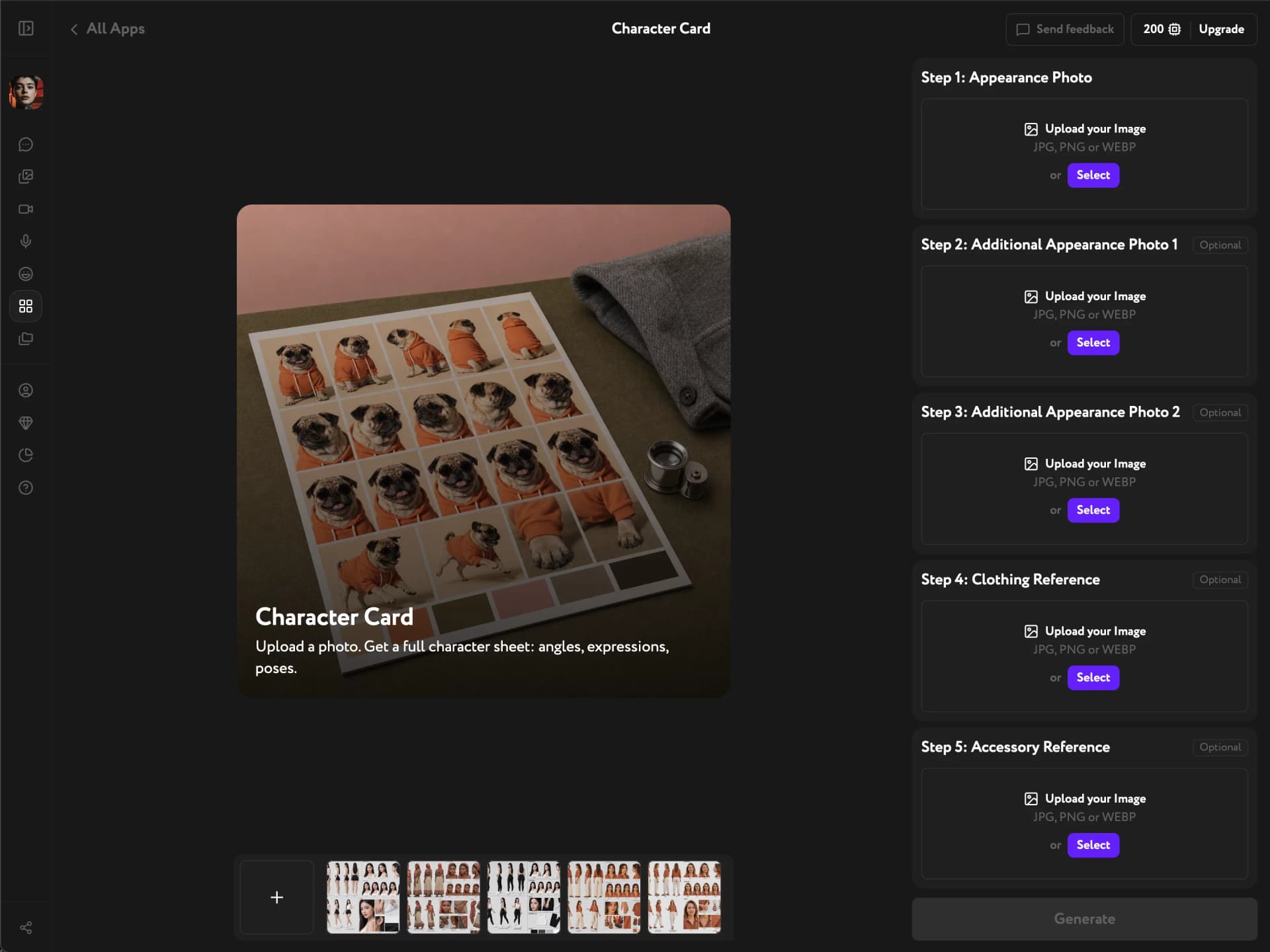
Open Apps from the sidebar and click Character Card. Under Step 1: Appearance Photo, upload one clear photo of your character with the face and body visible — this is the only required input.
Add optional references
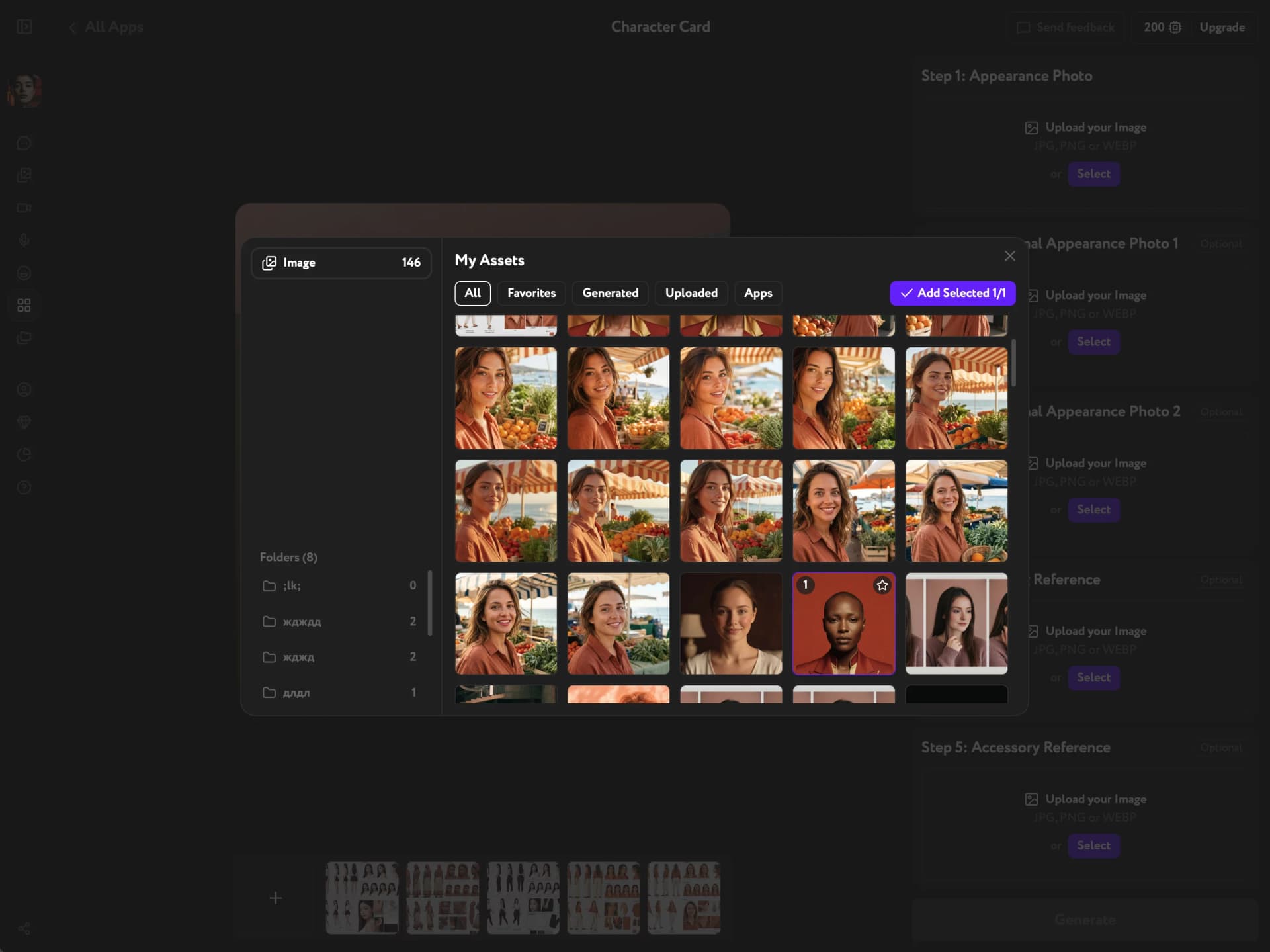
Steps 2 through 5 let you add extra appearance angles, a clothing reference, and an accessory reference to lock in details beyond what the single photo shows. Click Select on any step to pick an image from Assets instead of uploading a new one.
Generate and review your character card
Click Generate. Character Card produces the full sheet in one pass, matching your original photo — body and head turnarounds, expressions, action poses, wardrobe flat-lay, material close-ups, and a color palette.
Check that the face, proportions, and outfit stay consistent across every angle, expression, and pose. Download the sheet or individual panels, and bring it into Video Generation or Image Generation to keep the same character consistent across scenes.